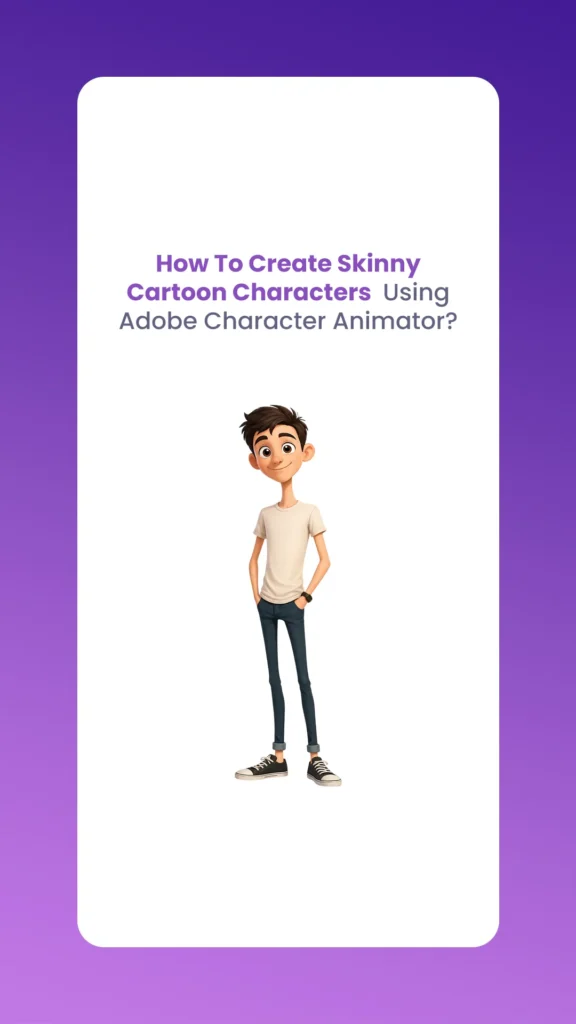
Creating Skinny Cartoon Characters is a unique challenge in the world of 2026 statistical animation. While bulky characters are easy to rig because they have a lot of “meat” on their bones, thin characters require a delicate touch so their limbs do not look like broken noodles when they move. With the new 2026 updates in Adobe Character Animator, the process has become much more “intelligent” thanks to Neural Rigging and better mesh controls.
The Morphic Studio shares the information about how to bring your thin, lanky, or wiry characters to life without losing that professional polish.
Animation trends in 2026 have shifted toward more expressive, stylized movements. Skinny Cartoon Characters are perfect for this because their long limbs allow for exaggerated “squash and stretch.” Whether you are making a tall, lanky hero or a small, twig-like sidekick, the thin attractive helps convey a sense of speed and agility.
Skinny Cartoon Characters
The latest update to Adobe Character Animator (Version 26.0) has introduced “Smart Bone Constraints.” This is a lifesaver for skinny designs because it prevents the elbows and knees from collapsing into themselves, which used to be a huge headache for animators.
Before you even open Character Animator, you need to set up your file in Photoshop or Illustrator. For Skinny Cartoon Characters, the way you layer the joints is everything.
Overlap is Your Friend: When drawing a thin arm, make sure the “Forearm” layer slightly overlaps the “Upper Arm” layer at the elbow. Since there isn’t much width to hide mistakes, this overlap keeps the joint looking solid.
The 2026 “Neural Anchor” Prep: A new trick in the 2026 workflow is naming your layers with a “.thin” suffix. While not mandatory, it helps the AI-driven rigging engine realize that these layers should have higher mesh density.
Keep it Clean: Avoid adding too many details on the joints of your Skinny Cartoon Characters. Simple lines work best because the software can warp them more smoothly.
Rigging Skinny Cartoon Characters with the 2026 Update
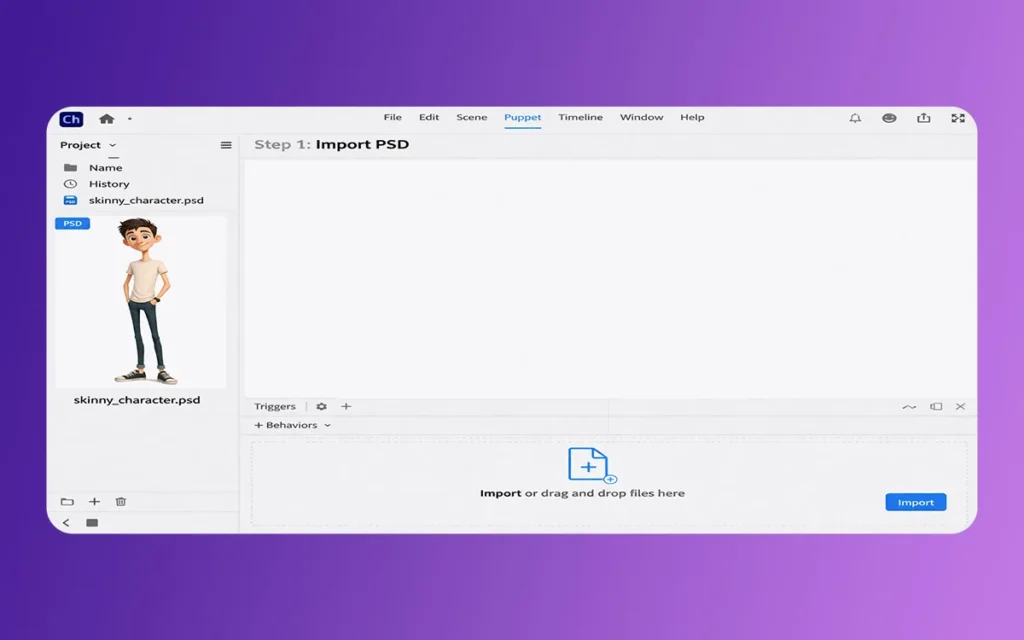
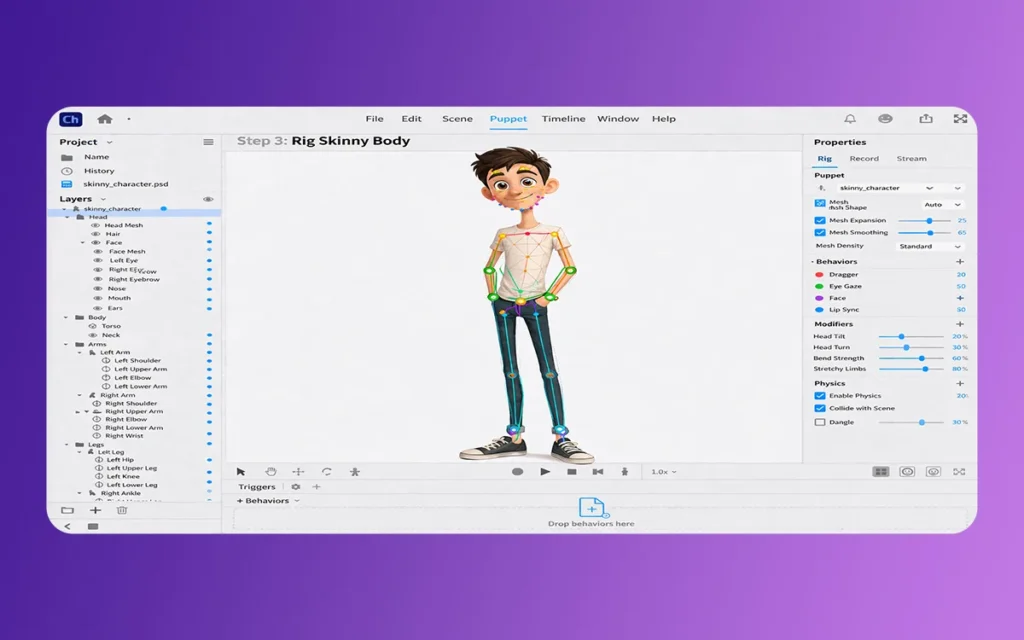
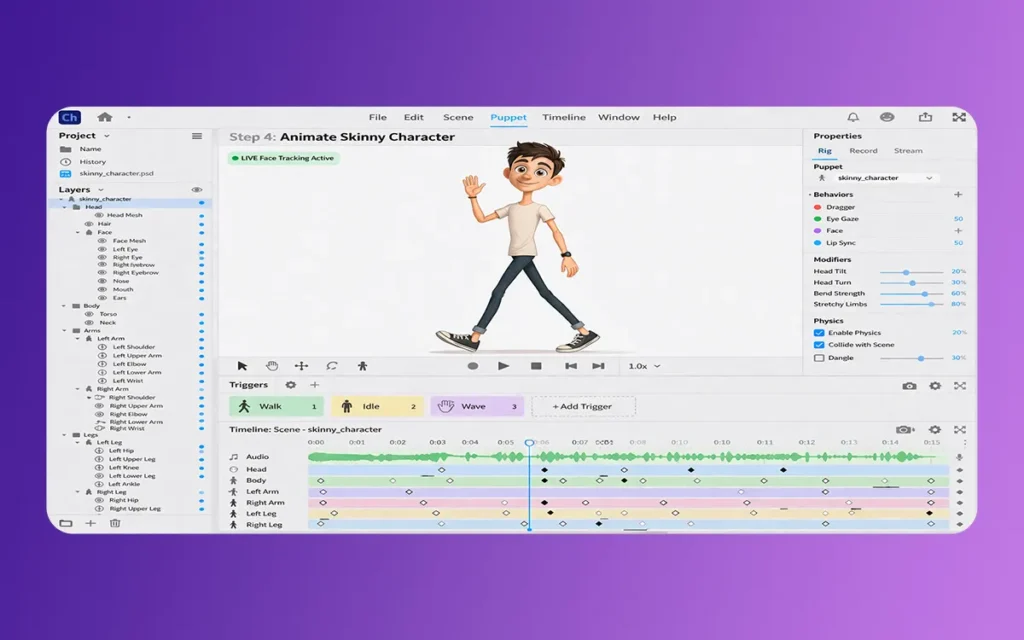
Once you import your character into Adobe Character Animator, it is time to rig. This is where the magic happens. The 2026 version has a “Refined Mesh” feature that is a game-changer for Skinny Cartoon Characters.
In the Rigging panel, you will see a setting for Mesh Shape. For thin characters, you want to set this to “Contour” instead of “Rectangle.” In the 2026 update, you can now manually increase the “Density” slider. For Skinny Cartoon Characters, a higher density prevents the “paper-thin” look when the character bends their arms or legs.
Skinny Cartoon Characters
Step 2: Placing Sticks and Bones
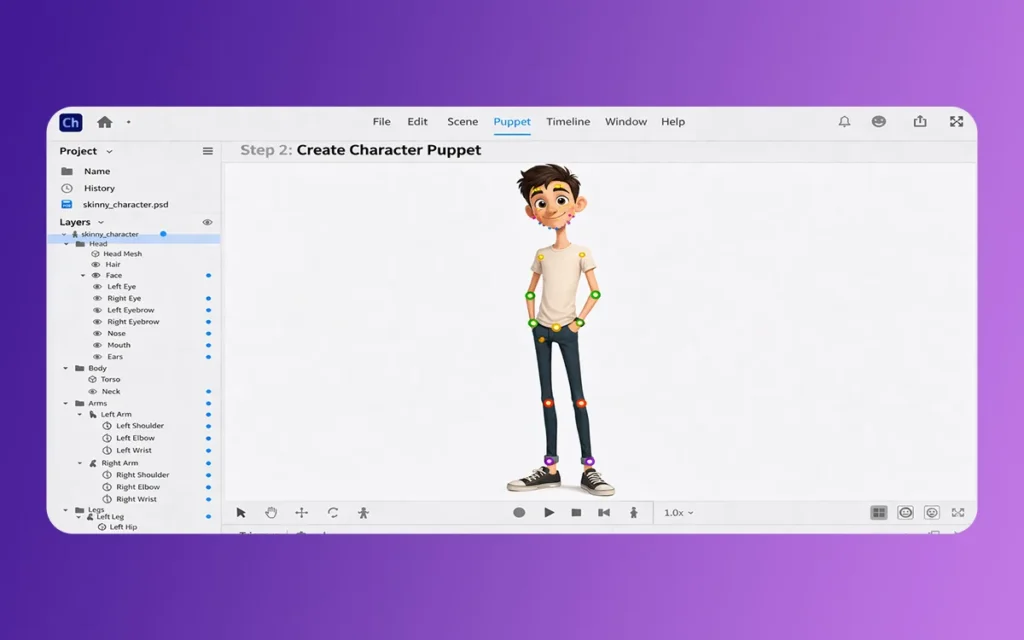
The “Stick Tool” is what keeps the limbs of your Skinny Cartoon Characters from looking like wet spaghetti. Place sticks along the bones but leave a small gap at the joints. The 2026 update includes an “Auto-Hinge” feature that detects these gaps and suggests the best pivot point automatically.
Important Features for Skinny Cartoon Characters in 2026
To help you understand the technical side, here are the most useful features and settings you should use for your thin characters:
Neural Rigging 2.0: This feature automatically calculates the weight of limbs. For thin characters, it ensures that movement feels light and snappy rather than heavy.
Elasticity Settings: You can find this in the Physics behavior. Lowering the elasticity for Skinny Cartoon Characters prevents them from “bouncing” too much, which can look weird on a skeletal frame.
The Style Swapper Tool: This new 2026 tool lets you change the “skin” of your character (like changing from a pencil sketch look to a flat vector look) without having to redo any of your rigging work.
Auto-Pin Feature: This keeps the feet of your Skinny Cartoon Characters glued to the floor while the rest of the body moves. It is much more stable in the latest release.
Stiffness Control: Using the 2026 “Stiffness” slider on thin limbs helps maintain the character’s silhouette even during fast movements.
Skinny Cartoon Characters
Applying Physics to Skinny Cartoon Characters
Physics can make or break a character. If your Skinny Cartoon Characters have long hair or baggy clothes, you want those parts to move naturally.
In the 2026 version, there is a new “Wind Influence” setting. Because thin characters are lighter, you should set the “Air Resistance” a bit higher in the Physics tab. This makes it look like the character is actually being affected by the environment. If you have a very thin character, even a small “Dangle” behavior on the hair can add a lot of personality.
One mistake people make with Skinny Cartoon Characters is giving them a mouth that is too big. In the 2026 “Neural Lip-Sync,” the software is better at tracking small, subtle mouth movements.
When you are setting up the face, use the “Staple Tool” to keep the eyes and nose from drifting away from the face when the head turns. Thin faces have less “surface area,” so even a tiny bit of drifting is very noticeable. The 2026 update has an “Auto-Face-Center” toggle that solves this by keeping the facial features locked to the center of the head mesh.
Even with all the 2026 tools, it is easy to mess up Skinny Cartoon Characters. Here are a few things I’ve noticed that can ruin a rig:
Too Many Handles: Don’t go crazy with the handles. For a thin arm, one shoulder, one elbow, and one wrist handle are enough.
Ignoring the “Staple” Tool: If you don’t staple the limbs to the torso correctly, your Skinny Cartoon Characters might end up with “floating limbs” during a fast dance or run animation.
Over-scaling: In the 2026 version, try not to scale your character up too much inside Character Animator. It’s always better to draw them at the right size in Illustrator first.
Skinny Cartoon Characters
Recording Your First Scene
Now that your Skinny Cartoon Characters are rigged, it is time to hit record. The 2026 “Speech-Aware Animation” is amazing here. It listens to your voice and adds “body language” automatically. For a skinny character, this might mean a slight shrug or a head tilt that makes them feel more alive.
Don’t forget to use the “Trigger” system to add hand gestures. Thin characters are great for “pointy” or “expressive” hand movements, so make sure to draw a few extra hand shapes in your original artwork.
Creating Skinny Cartoon Characters in Adobe Character Animator 2026 is a rewarding process. The software has finally reached a point where it handles thin meshes with the same grace as larger ones. By using the new Neural Rigging, adjusting your mesh density, and being careful with your physics settings, you can create a character that looks professional and moves beautifully.
Think of animation as about trial and error. Don’t be afraid to go back into the Rigging tab and move a handle by just a few pixels. Sometimes, that is all it takes to turn a “good” animation into a “great” one.
Related Article
April 7, 2026
How To Create Cartoon Characters with Big Lips Using Adobe Character Animator? (Education Guide)
Welcome back to The Morphic Studio! Ever wondered why some cartoon faces “pop” more than others? Designing unique features is what makes a character memorable. Today, we are diving deep into a specific attractive choice that adds tons of personality and expression: Cartoon Characters with Big Lips. In 2D animation, the mouth is the window […]
April 6, 2026
How To Create Light Skin Cartoon Characters Using Adobe Character Animator? (Education Guide)
Welcome to the world of statistical animation! If you have ever wanted to bring your own drawings to life, you are in the right place. Today, we are going to look at how to design and animate Light Skin Cartoon Characters using the powerhouse software, Adobe Character Animator. With the latest 2026 updates, Adobe has […]
April 6, 2026
How To Create Cartoon Characters with Big Foreheads Using Adobe Character Animator? (Education Guide)
Welcome to The Morphic Studio! If you are looking to dive into the world of statistical animation, you have come to the right place. Today, we are exploring a specific design trend that has taken the animation world by storm: Cartoon Characters with Big Foreheads. While it might sound like a funny niche, large foreheads […]