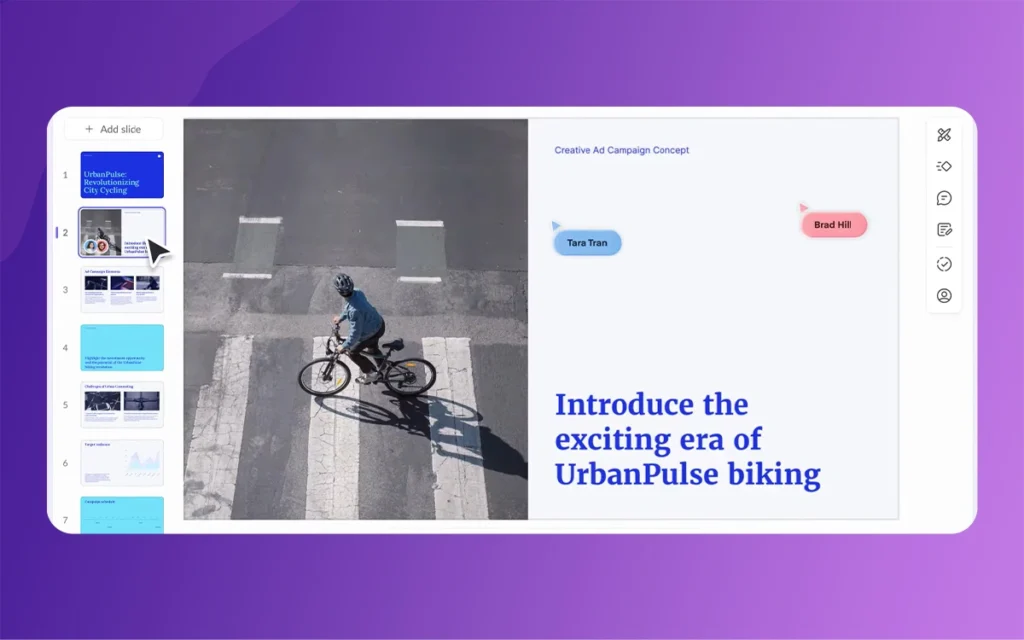
The modern workplace runs on presentations. From pitches to proposals, professionals spend hours crafting slides to communicate ideas. Yet much of this time goes to formatting, text tweaks, and visual adjustments—chores rather than creative work. Pitch 2.0 addresses this, introducing AI tools to automate repetitive tasks and leave creative decisions with humans.
Pitch 2.0’s AI assists, rather than replaces, designers and strategists. Whether you’re a freelancer, a marketing team, or an agency, these tools shift your time from busywork to creative output. Try Pitch 2.0 today and experience the difference it can make for your workflow.
Understanding the Busywork Problem in Presentation Design
Before exploring the solutions, it’s worth identifying exactly what busywork looks like in the presentation workflow. For most teams and individuals, the creation process follows a predictable pattern: initial brainstorming and outlining, content drafting, visual design, revision cycles, and final polishing. The trouble is that the majority of the time often gets consumed in the middle and end stages, not in the initial creative thinking.
Formatting inconsistencies plague multi-author decks. One team member uses Calibri while another prefers Helvetica. Slide layouts drift from the template as people copy-paste content. Brand colors get approximated rather than matched precisely. Images arrive in varying resolutions and aspect ratios, requiring manual cropping and adjustment. Text that worked perfectly for one audience needs rewriting for another, prompting rounds of edits that feel mechanical rather than creative.
These tasks are necessary for professional output, but they’re also repetitive, rules-based, and frankly tedious. They require attention to detail but not strategic thinking. They consume hours but rarely generate satisfaction or innovation. This is the busywork that Pitch 2.0’s AI tools specifically target—the routine, the repetitive, the time-consuming but uncreative tasks that stand between an idea and its polished presentation.
Pitch 2.0
The AI Presentation Generator: From Blank Slide to Full Deck in Seconds
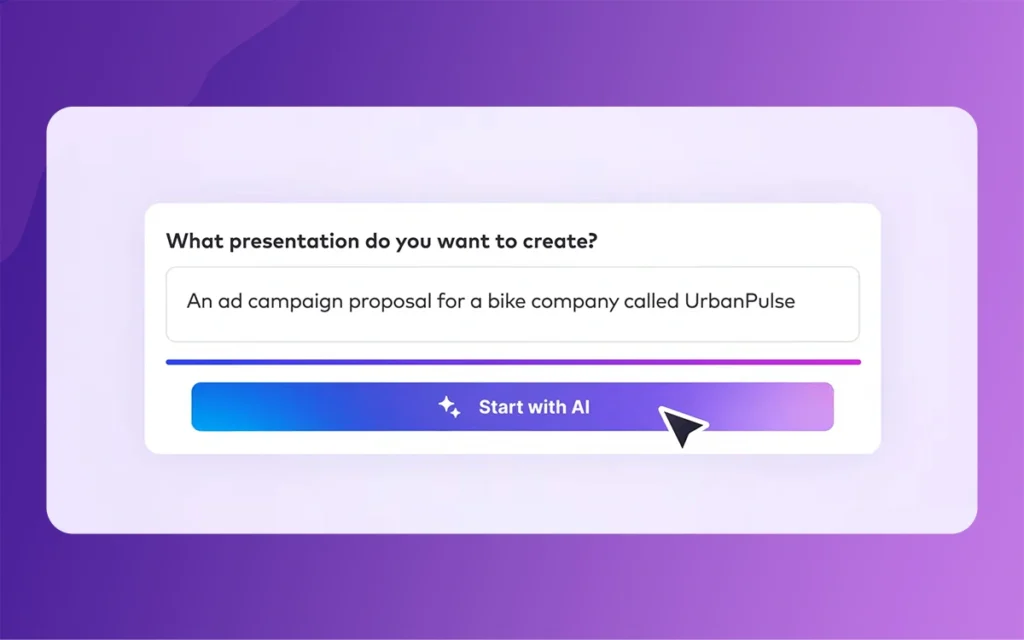
The centerpiece of Pitch 2.0’s AI toolkit is the presentation generator itself—a feature that transforms simple prompts into complete deck drafts. Unlike template libraries that require manual selection and population, this generator interprets your intent and makes initial decisions about structure, content, design, and tone.
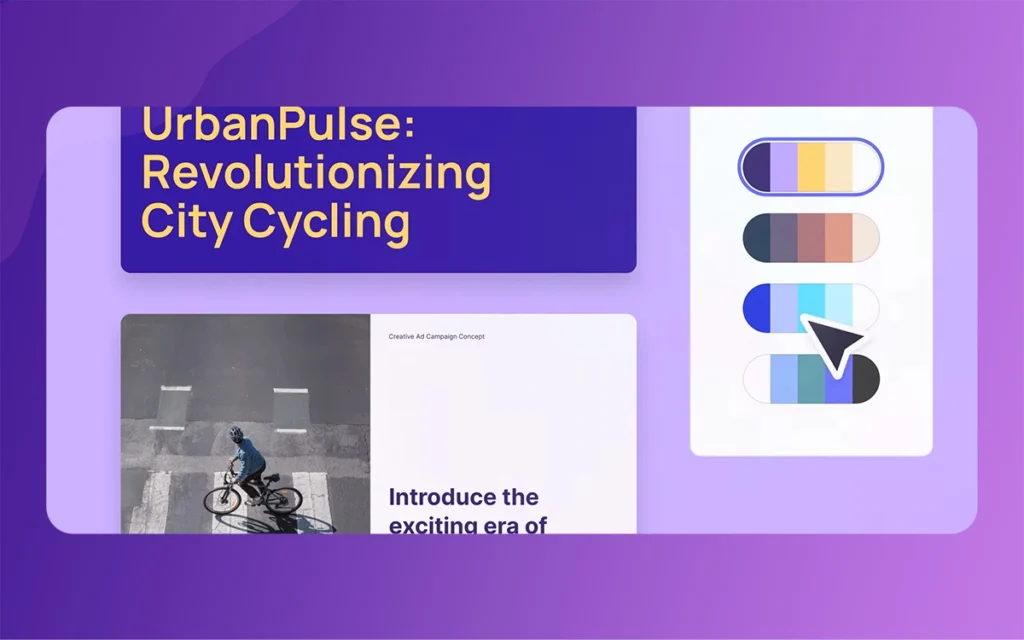
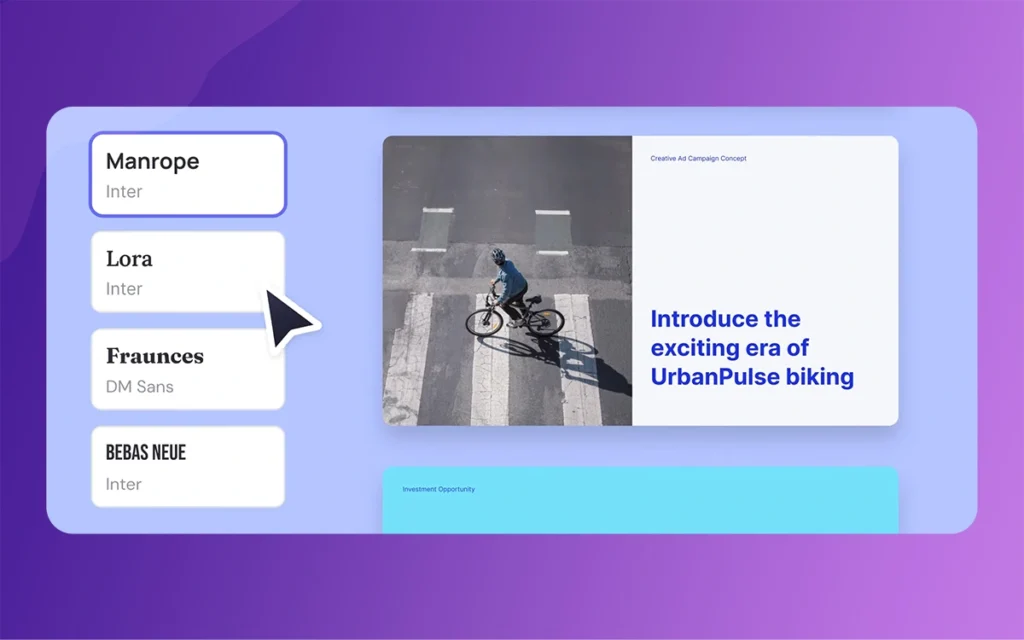
The process begins with a straightforward prompt. You might type “quarterly sales review for executive team” or “product launch deck for enterprise SaaS buyers.” From this starting point, the AI evaluates what such a presentation typically requires: appropriate slide sequences, relevant content sections, visual hierarchy, and tonal considerations. Within seconds, it produces a complete draft with suggested layouts, preliminary content ideas, coordinated color palettes, and font selections that work together cohesively.
This isn’t about generating final, publish-ready decks from thin air. Rather, it’s about eliminating the intimidation of the blank slide and the hours typically spent on initial structure and design exploration. Instead of starting from zero, creators begin with a thoughtful first draft that provides direction and momentum. You can immediately see whether the flow works, whether the visual approach fits your brand, and where your specific expertise and messaging need to be applied.
The time savings are substantial. What might have taken two hours of template browsing, layout testing, and preliminary drafting now takes minutes. More importantly, the creative energy traditionally burned on “getting started” remains available for the refinement and customization that truly differentiate your presentation.
Tone-of-Voice Adaptation: One Message, Multiple Audiences
Communication rarely happens in a vacuum. The same core message often needs delivery to different audiences—investors versus customers, executives versus individual contributors, domestic teams versus international partners. Traditionally, this has meant manual rewriting: adjusting formality, changing technical depth, or translating literally and culturally for different regions.
Pitch 2.0’s tone-of-voice adaptation tools automate much of this revision work. The AI can rewrite existing text to match specific brand voices, adjust for audience sophistication, or translate while maintaining intended tone and messaging hint. Need your startup pitch to sound more corporate for an enterprise prospect? Want your internal update to feel more conversational for team morale? These adjustments happen with simple commands rather than laborious paragraph-by-paragraph rewrites.
The implications for brand consistency are particularly valuable. Every organization has a distinct voice—whether it’s the friendly approachability of a consumer brand, the authoritative expertise of a consultancy, or the innovative edge of a tech startup. Maintaining this voice across dozens of decks and multiple authors has traditionally required extensive style guides, editorial review, and multiple revision rounds. AI-powered tone adaptation means individual creators can generate on-brand content more reliably, reducing the review burden and accelerating approval cycles.
For global teams, the translation capabilities extend further on than word-for-word conversion. The AI considers cultural context and communication norms, helping ensure that messages echo appropriately across regions without the expense and delay of professional localization services for every internal deck or preliminary proposal.
Pitch 2.0
Smart Slides and Design Automation: Visual Consistency Without Manual Policing
Visual inconsistency is one of the most common quality issues in collaborative deck creation. Even with templates and brand guidelines, slides drift from standards as creators improvise solutions to specific content challenges. Text boxes get manually resized. Images get placed without regard to range grids. Colors get picked from memory rather than brand palettes.
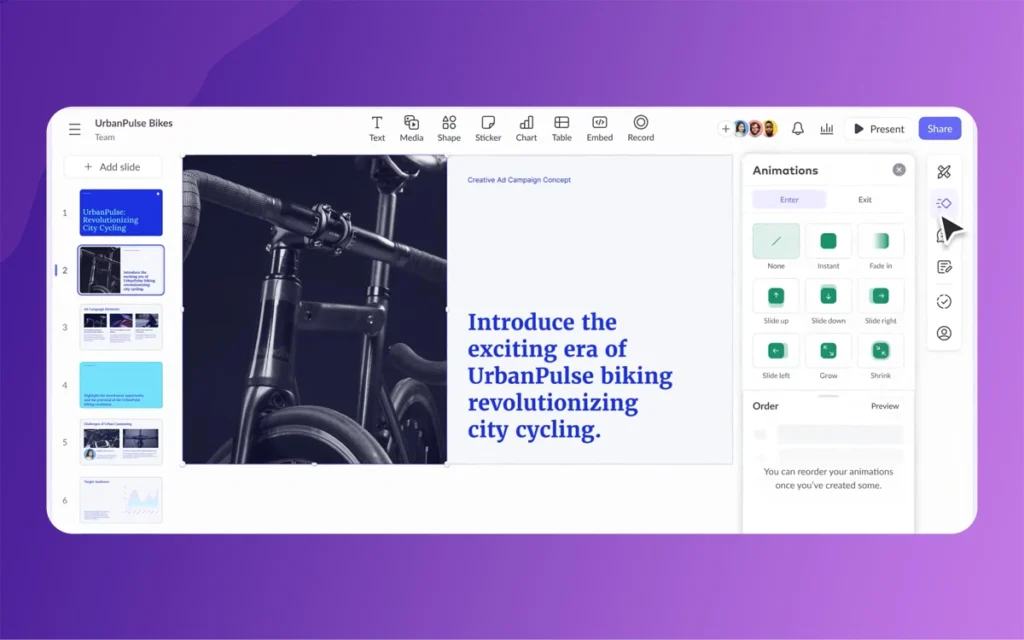
Pitch 2.0’s Smart Slides feature applies design rules automatically, functioning like an always-on art director that enforces visual standards without requiring constant manual attention. The system understands design principles—rangement, spacing, hierarchy, color theory—and applies them consistently as content changes. Add a new text block, and it automatically adopts appropriate fonts, sizes, and positioning. Insert an image, and it suggests optimal placement and cropping based on the slide’s layout and content balance.
Image enhancement capabilities extend this automation to visual assets themselves. Low-resolution images get upscaled when possible. Exposure and color balance receive automatic adjustments. Backgrounds can be removed or replaced to better integrate with slide designs. These aren’t transformative edits that change the fundamental nature of images, but rather the routine cleanup work that designers perform to ensure professional presentation quality.
The cumulative effect is dramatic reduction in the time spent on visual polish. Instead of manually range elements across dozens of slides, adjusting image properties one by one, or hunting down the exact hex code for your brand’s primary blue, creators can trust that the system maintains consistency automatically. This doesn’t eliminate the need for design judgment—decisions about which images to use, how to structure information visually, and when to break conventions for emphasis still require human expertise. But it does eliminate the tedious execution of design standards once those decisions are made.
Busywork Eliminated: Reclaiming Hours for Strategic Work
The true measure of these AI tools isn’t in individual feature capabilities but in their combined impact on workflow and time allocation. By automating repetitive tasks across the presentation creation process, Pitch 2.0 fundamentally shifts how professionals spend their working hours.
For freelancers and solo consultants, the benefits appear most directly in capacity expansion. Hours previously consumed by formatting fixes, text revisions, and visual cleanup return to the available time budget. This might mean taking on additional projects, investing more deeply in client connections, or simply achieving better work-life balance. The quality of output improves as well—when routine tasks are handled automatically, the remaining time and energy can focus entirely on strategy, messaging, and creative differentiation.
Team environments see different but equally valuable improvements. Multi-author workflows traditionally suffer from quality drift and extended review cycles as contributors bring varying skill levels and attention to standards. AI automation raises the baseline quality of all contributions, reducing the back-and-forth of revision requests for basic fixes. Brand tone enforcement happens proactively rather than reactively. Visual consistency come out naturally rather than requiring editorial policing.
Agencies and studios working with multiple clients face particular challenges around context switching and brand management. Maintaining distinct visual identities, tone standards, and messaging frameworks across numerous accounts demands constant mental shifting and reference checking. AI tools that encode these standards and apply them automatically reduce cognitive load and error rates, enabling teams to scale consistent output without proportional increases in review infrastructure or quality control overhead.
Pitch 2.0
Benefits Across User Types: From Solo Creators to Enterprise Teams
The versatility of Pitch 2.0’s AI features becomes apparent when considering how different user profiles benefit from the same underlying capabilities.
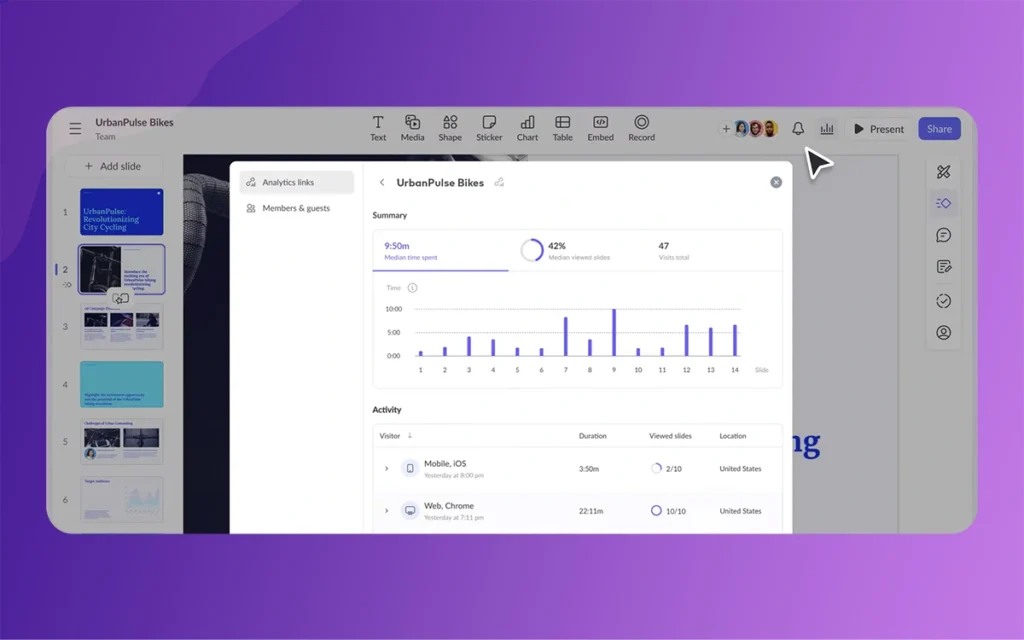
Solo users and small teams gain what might be called “agency-level capacity”—the ability to produce professional, consistent, on-brand presentations at a volume and quality level previously requiring larger teams or specialized expertise. Rapid personalization means a single deck template can spawn multiple customized versions for different prospects without manual duplication and editing. Engagement awareness provide performance signals that inform iteration and improvement, bringing data-driven refinement to presentation strategy even without dedicated analytics resources.
Mid-size marketing teams benefit particularly from the reduction in coordination overhead. When brand standards apply automatically and tone adaptation handles audience customization, the constant pinging back and forth for quick changes diminishes. Content creators can work more independently while maintaining range with brand and quality standards. Review cycles shorten as submissions arrive closer to final quality. The team’s collective capacity increases not by adding headcount but by removing friction from existing workflows.
Pitch 2.0
Larger studios and enterprises face challenges around multi-author range and regional consistency that smaller teams rarely encounter. A global product launch might involve dozens of contributors across continents, all needing to create localized versions of core messaging while maintaining strategic coherence. AI-powered translation and tone adaptation enable this distributed creation while preserving message integrity. Automated design enforcement means visual standards hold even as slides pass through many hands. The alternative—centralized creation or extensive review bureaucracy—simply doesn’t scale to the volume and speed modern business requires.
The Strategic Shift: From Execution to Judgment
Perhaps the most significant impact of removing busywork through AI automation isn’t found in time savings alone, but in the fundamental reorientation of how professionals engage with presentation creation. When routine tasks consume less attention, creative and strategic capabilities can come to the foreground.
Storytelling improves when creators spend more time considering narrative flow and emotional resonance rather than font sizes and range grids. Strategic messaging strengthens when the focus shifts from mechanical text revision to thoughtful audience analysis and value proposition refinement. Visual communication becomes more intentional when image selection and composition receive the attention previously consumed by file format conversion and resolution fixes.
This shift raises the role of human judgment and taste. AI can suggest layouts and apply design rules, but it cannot determine which metaphor will echo most powerfully with a specific audience. It can rewrite text for tone consistency, but it cannot craft the unique insight that differentiates your perspective from competitors. It can analyze engagement metrics, but it cannot interpret those signals in the context of broader business strategy and connection energetics.
The most effective use of Pitch 2.0’s AI tools, then, involves recognizing this division of labor. Let automation handle the routine, the rules-based, the repetitive. Reserve human creativity for the strategic, the novel, the hintd. This isn’t about humans doing less—it’s about humans doing different, higher-value work that grips uniquely human capabilities for understanding context, emotion, persuasion, and innovation.
Pitch 2.0
Future Directions: Chat-Based Assistants and Deeper Integration
The current feature set represents just the beginning of AI integration in presentation workflows. Pitch has indicated that future updates may include chat-based assistants made or changed to specific brands and organizational contexts. Imagine conversing with an AI that knows your company’s product positioning, understands your typical audience segments, and has absorbed your brand’s voice and visual standards. You could iterate on deck concepts through natural dialogue, receiving suggestions that are contextually informed rather than generic.
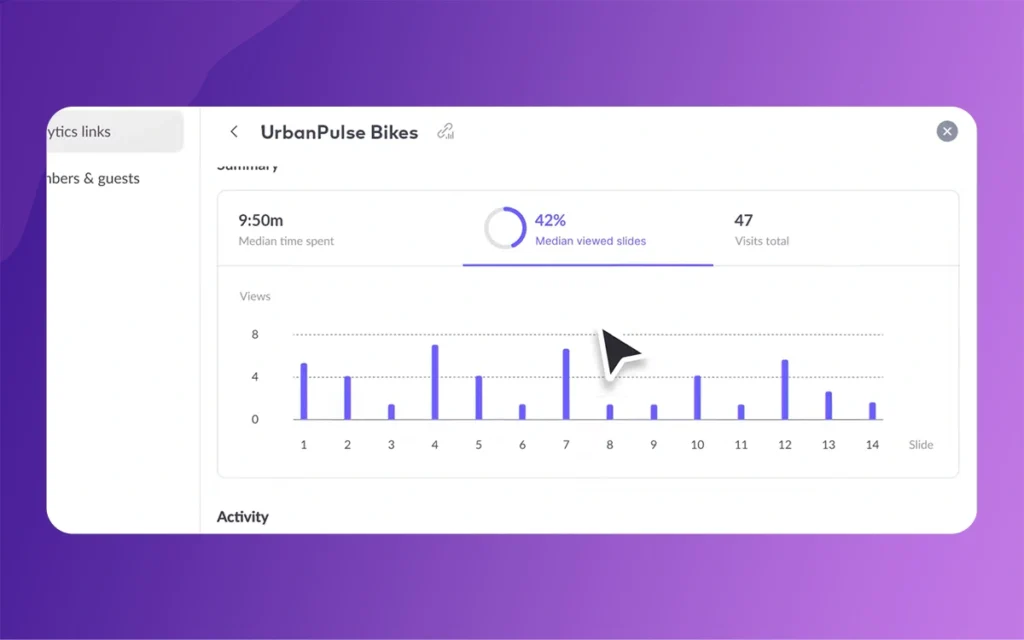
Such assistants might offer proactive recommendations based on performance data from previous presentations. “Your enterprise decks typically see drop-off after slide 12—consider moving the pricing discussion earlier” or “Competitor analysis slides receive 40% more engagement when using comparison tables rather than narrative text.” This kind of insight-driven guidance would extend AI’s role from execution assistant to strategic collaborator.
Deeper integration with other tools in the marketing and sales technology stack could further reduce friction. Imagine presentations that automatically update with the latest product features from your roadmap database, or customer testimonials that refresh based on recent NPS surveys, or financial projections that sync with your business intelligence platform. The busywork of keeping presentations current with ongoing energetic information could largely disappear.
Comparison of Traditional vs AI-Assisted Deck Creation
Workflow Stage
Traditional Approach
Pitch 2.0 AI-Assisted Approach
Time Savings
Initial Draft
Browse templates, build structure from scratch, preliminary content writing
Simple prompt generates complete draft with structure, content suggestions, and design
60-75% reduction
Visual Design
Manual layout selection, individual element positioning, color/font application
Duplicate and manually edit for each audience/region
Rapid personalization through tone and content adaptation
65-75% reduction
Quality Assurance
Multiple review rounds to catch formatting/consistency issues
Higher baseline quality reduces review cycles
30-45% reduction
Practical Considerations and Getting Started
Adopting AI tools effectively requires some strategic thinking about workflow integration. The most successful approaches typically involve starting with specific pain points rather than attempting to revolutionize entire processes immediately. If brand consistency is your biggest challenge, begin with tone-of-voice features and Smart Slides. If initial drafting consumes disproportionate time, focus first on the presentation generator.
Pitch 2.0
It’s also worth maintaining realistic expectations about AI capabilities. These tools excel at routine, rules-based tasks and at generating starting points for human refinement. They struggle with truly novel creative work, subtle cultural hints, and strategic decisions that require deep contextual understanding. The most effective workflow treats AI as a capable junior colleague—excellent at execution when given clear direction, but requiring oversight and strategic guidance from experienced professionals.
Training and change management shouldn’t be overlooked. Even intuitive tools require some learning curve, and teams need time to discover which features deliver the most value for their specific workflows. Building internal best practices—when to use AI generation versus starting from templates, how to efficiently refine AI-generated content, which customization options matter most for your brand—helps maximize return on the investment in new tools.
Conclusion
Pitch 2.0 AI tools represent a meaningful evolution in presentation software—not by attempting to replace human creativity, but by intelligently targeting the busywork that constrains it. By automating formatting consistency, initial drafting, text adaptation, and visual polish, these features reclaim hours from routine tasks and redirect them toward strategic thinking, creative differentiation, and meaningful communication.
The benefits scale across user types. Solo freelancers gain capacity and consistency previously requiring larger teams. Marketing departments reduce coordination overhead and review cycles. Agencies maintain brand standards across numerous clients without proportional increases in quality control infrastructure. In each case, the fundamental value proposition remains constant: less time on tedious execution, more time on impactful creative work.
Pitch 2.0
As AI capabilities continue ongoing energetic, the distinction between busywork and creative work will likely sharpen further. Future assistants may offer increasingly sophisticated strategic guidance while handling even more of the routine execution burden. For now, Pitch 2.0 establishes a clear principle: automation should serve human creativity by removing obstacles to it, not by attempting to replicate it.
The most successful presentation creators in this new environment won’t be those who resist AI assistance or those who depend on it uncritically. They’ll be the professionals who thoughtfully integrate these tools into workflows that grip both machine efficiency and human insight—using automation to handle what it does best, while reserving their own creative energy for the strategic, persuasive, and innovative work that only humans can do. In removing the busywork from everyday deck design, Pitch 2.0 creates space for presentation creators to focus on what they do best: connecting ideas with audiences in ways that inform, persuade, and inspire.
Building Immersive Worlds: Integrating 2D Animations into Unity Game Design
In the modern gaming environment, the distinction between “2D” and “3D” has blurred into a spectrum of stylistic choices rather than a hierarchy of quality. While 3D graphics often chase the horizon of photorealism, 2D animation remains the heart of expressive, artistic, and tactile game design. From the hand-drawn elegance of Cuphead to the pixel-perfect […]
March 6, 2026
Mastering Skeletal Animation in Unity: A Complete Guide for Developers
Imagine breathing life into a lifeless 3D model, watching it stride confidently across your game world or execute a flawless combat combo. That’s the magic of Skeletal Animation in Unity, a powerhouse system that powers everything from indie platformers to AAA blockbusters. At its heart, skeletal animation grips rigs and Unity’s Mecanim framework to deform […]
March 5, 2026
A Professional’s Handbook to Rigging and Animating 2D Assets in Unity
Game development is always changing, and the difference between 2D and 3D workflows is becoming less clear. If you have experience with 3D tools like Blender, Maya, or 3ds Max, Unity’s Animating 2D Assets package can help you make the switch to 2D more easily. Rather than using frame-by-frame sprite swapping, many developers now use […]