Animation design combines art and logic, especially when it comes to your cast’s proportions. If you want to make a character stand out, literally, making them tall is a classic move. Whether it is a lanky basketball player, a towering giant, or a slender fashion icon, Tall Cartoon Characters bring a unique dynamic to any scene.
The Morphic Studio shares the information about how you can use Adobe Character Animator to bring these elongated friends to life. As of the latest January 2026 update (Version 26.0), Adobe has focused heavily on performance stability and rigging refinements, making it the perfect time to master the art of the “tall rig.”
Why Tall Cartoon Characters Need Special Attention
When you design a character that is significantly taller than the average “puppet,” you cannot just scale them up and hope for the best. Height changes the way a body moves. A tall character has a higher center of gravity, longer limbs that can “noodle” if not rigged correctly, and a stride that covers more ground.
Tall Cartoon Characters
Creating Tall Cartoon Characters requires a solid Follow of Adobe Character Animator’s tagging system. If the legs are too long, the default “Walk” behavior might make them look like they are skating rather than stepping. We have to adjust the physics to match the height.
Preparing Your Artwork for Tall Cartoon Characters
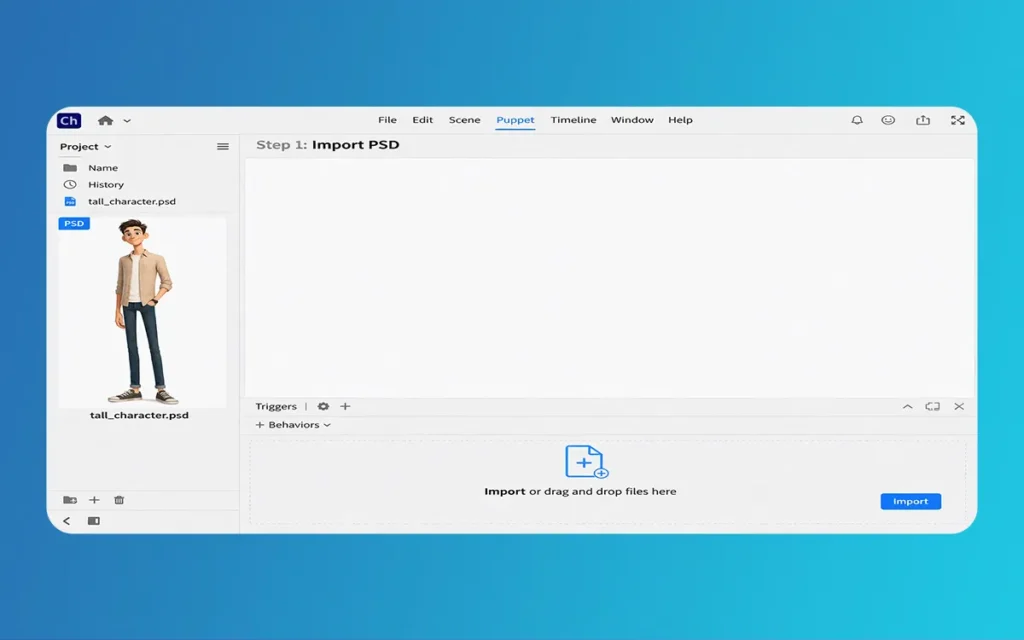
Before you even open Adobe Character Animator, your work starts in Photoshop or Illustrator. The way you layer your tall puppet determines how well it will move later. For Tall Cartoon Characters, the torso is usually the anchor, but the long limbs are where the magic (or the mess) happens.
You need to ensure that the arms and legs are long enough to maintain their “tall” look even when bent. If you crop the limbs too short in your drawing, the rigging will look stretched. Always draw your tall characters in a “Neutral Pose” with the arms slightly away from the body. This prevents the mesh from overlapping, which is a common headache when working with larger-than-life puppets.
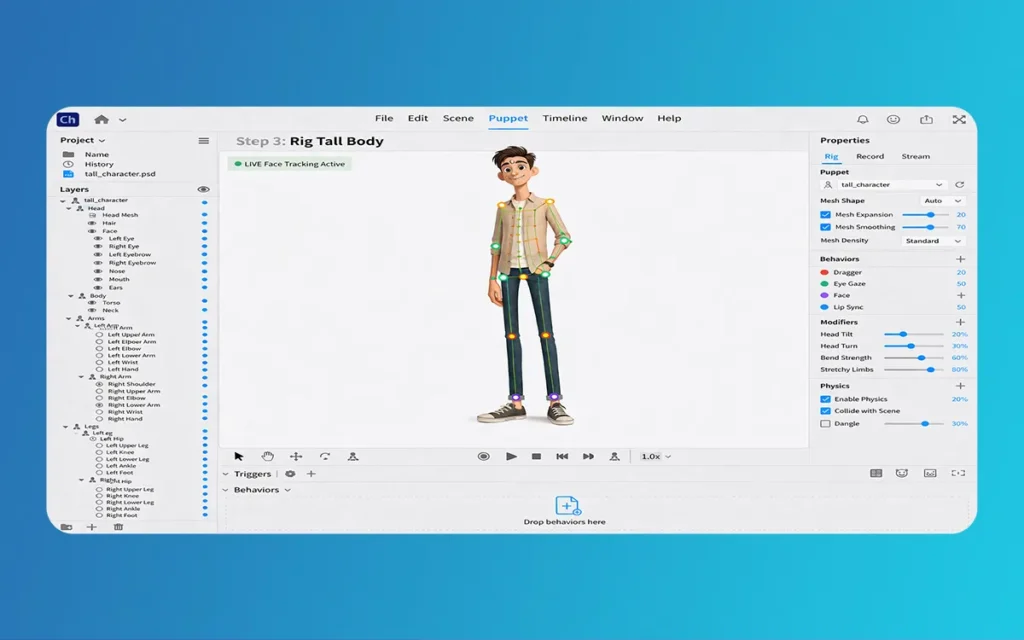
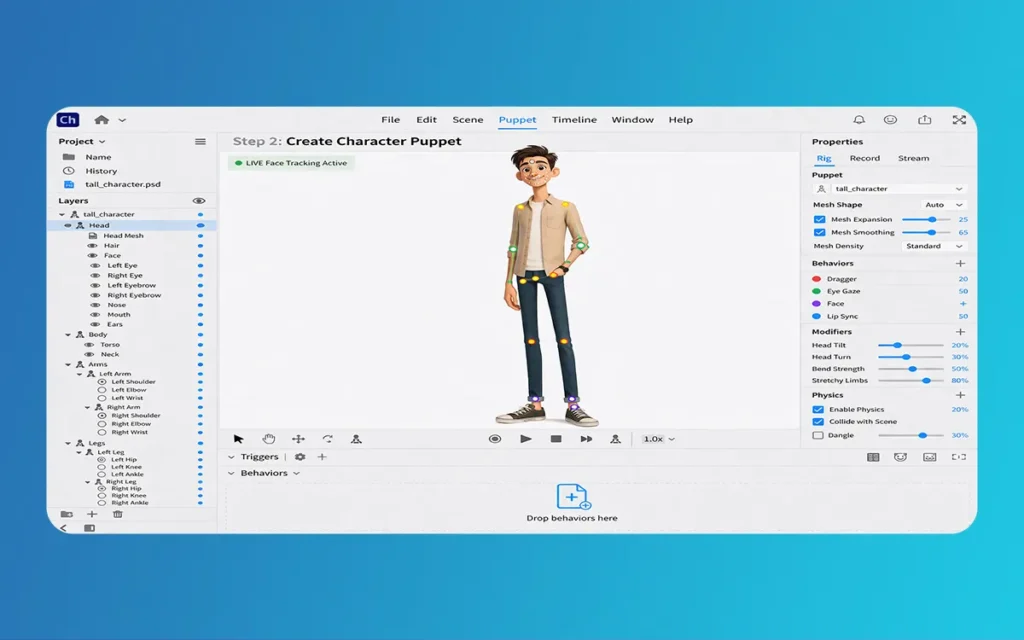
Once your file is imported, it is time to rig. Rigging is basically giving your drawing a skeleton. For Tall Cartoon Characters, the bones need to be strong.
The Handle Tool: Place handles at the joints (shoulders, elbows, wrists, hips, knees, and ankles). For tall puppets, precision is key because long limbs amplify any placement errors.
The Stick Tool: This is your best friend. Use the Stick tool to create “bones” between your handles. On a tall character, this prevents the long arms from looking like rubber hoses when they move.
Independent Layers: Make sure the head and limbs are independent (the little crown icon). This allows a tall character to move their neck or legs without warping the entire long torso.
Tall Cartoon Characters
Using the 2026 Stability Updates
With the 2026 Version 26.0 update, Adobe has improved the mesh deformation engine. This means that even if your character has extremely long legs, the “mesh” (the invisible skin of your puppet) won’t tear as easily as it did in older versions. This is a huge win for anyone making giants or lanky protagonists.
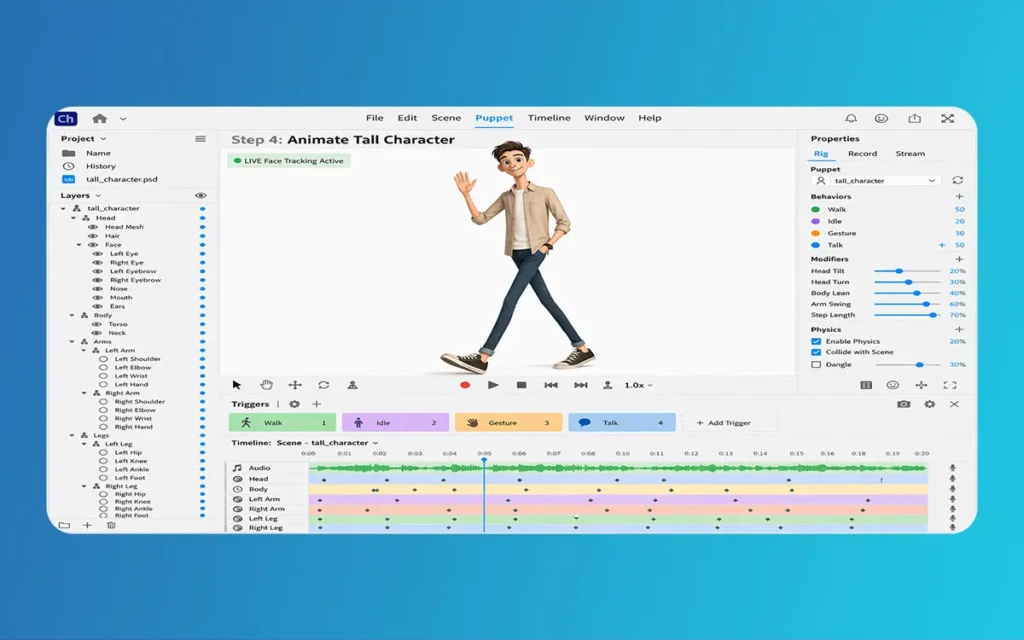
A tall character shouldn’t move like a small one. To make them feel heavy or graceful, you need to tweak the “Behaviors” panel in Adobe Character Animator.
Adjusting the Walk Behavior
When applying the Walk behavior to Tall Cartoon Characters, you must increase the “Step Length.” Because their legs are longer, they should cover more horizontal space with every stride. If you keep the default settings, the character will look like it is doing a “moonwalk” in place. Also, consider slowing down the “Step Frequency.” Tall people often have a slower, more deliberate gait.
Tall characters have more “swing” to them. If your character has long hair or a long coat, use the Dangle Tool. In the latest 2026 software environment, the physics engine handles long-distance dangles with much more “weight” than before. You can adjust the “Stiffness” to make sure the limbs don’t flop around too much, keeping that “tall and proud” posture intact.
Instead of a table, here are the key technical points you should follow when setting up your project:
Canvas Size: Use at least 4K resolution (3840 x 2160). Since the character is tall, you need the extra vertical space so they don’t get cut off at the head or feet.
Limb Proportions: For a “tall” look, the legs should usually be 1.5 times the length of the torso.
Joint Placement: Place the “Hip” tags slightly higher than you think. This helps the long legs rotate naturally without “pinching” the stomach area.
Mesh Shape: Set the Mesh to “Contour” instead of “Rectangle” in the rigging panel. This helps the software focus the animation on the tall silhouette rather than the empty space around it.
Dragger Points: Add dragger handles to both the hands and the mid-forearm. For Tall Cartoon Characters, this gives you better control over the long reach of the arms during a live performance.
Tall Cartoon Characters
Troubleshooting Common Issues with Tall Rigs
One of the most annoying things that happens with Tall Cartoon Characters is “warping.” This is when the body stretches like taffy because the pins are too far apart. If you see this happening, it means your “Origin” point is in the wrong place.
Always set the Origin point (the green circle) at the base of the character’s spine or at the feet if they are standing still. For tall characters, placing the origin at the neck can cause the legs to float away. Another tip is to use the “Pin Tool” to nail the feet to the ground. This ensures that no matter how much the character leans, their feet stay planted, which is a common struggle when animating height.
After rigging and setting behaviors, it is time to record. Adobe Character Animator uses your webcam to track your movements. If you are animating Tall Cartoon Characters, try to sit back from the camera. This gives the software more “data” on your shoulder movements, which translates better to a tall puppet’s wide frame.
Don’t forget to check the “Lip Sync” as well. A tall, deep-voiced character might need a slower “Jaw Drop” setting in the Nutcracker Jaw behavior to match their physical presence. With the 2026 updates, the auto-lip-sync is much faster, so you won’t have to spend hours fixing the mouth timing.
Creating height in animation is all about the balance between the art and the rig. By following these steps, your Tall Cartoon Characters will move with the elegance and weight they deserve. Think of, the key is in the “Sticks” and the “Step Length.”
Mastering tall cartoon characters in Adobe Character Animator takes practice, but the results are rewarding. Whether building an educational series or a web comic for The Morphic Studio, height injects personality that’s hard to miss. With the 2026 stability updates, the process is smoother, letting you focus on creativity instead of glitches.
Now that you know how to handle those long limbs and high centers of gravity, it is time to dive into drawing. Open your favorite design tool, sketch a towering figure and bring them to life in motion. Start now and share your animated tall character for feedback or inspiration!
What challenges are you facing when rigging your tall character? Contact The Morphic Studio, and we will help you.
Related Article
September 1, 2026
Augmented Reality News: 7 Exclusive Breakthroughs for an Incredible Year | The Morphic Studio
Navigating the Latest Augmented Reality News Environment Welcome to another exciting deep dive into the statistical universe brought to you by The Morphic Studio. If you have been keeping up with tech headlines lately, you already know that statistical overlays and spatial computing are changing how we interact with our physical surroundings. The year 2026 […]
September 1, 2026
VR Horror Games: 13 Incredible Titles for a Brutal Scare – The Morphic Studio
Welcome to the ultimate guide for anyone looking to test their nerves inside a headset. When you strap a display to your face, flat screen rules no longer apply. VR Horror Games You are no longer watching a character run from danger on a distant monitor, because you are right there in the middle of […]
August 31, 2026
Meta Quest 4 Release Date: The Master Guide to 2026’s Most Incredible VR | The Morphic Studio
Virtual reality has traveled a long road over the last few years. We have moved from bulky, tethered headsets that needed expensive gaming computers to sleek, standalone machines that fit right inside a small travel backpack. If you follow immersive technology here at The Morphic Studio, you already know that Meta has been leading the […]