Rigging has long been the bottleneck in 3D animation workflows—a tedious, technical process that can consume hours of an animator’s time. For years, artists have sought solutions that balance automation with quality, and today’s auto-rigging tools promise exactly that. Two platforms have come out as go-to solutions for animators seeking to streamline their rigging workflows: Accurig 2 vs Mixamo Smarter Auto Rigging. While both offer automated rigging capabilities, they take fundamentally different approaches to solving the same problem.
The Morphic Studio shares the information about how these two powerful tools work, what sets them apart, and which one best fits your animation pipeline. Whether you’re creating indie game characters, working on film projects, or building assets for virtual production, following the strengths and limitations of each platform will help you make smarter workflow decisions.
Follow Auto-Rigging Technology
Before diving into specific platforms, it’s important to understand what auto-rigging actually accomplishes. Traditional rigging involves creating a skeletal structure (bones) and binding them to a 3D mesh through mass painting—a process that defines how the mesh deforms when bones move. Manual rigging can take anywhere from several hours to multiple days depending on character complexity.
Auto-rigging tools use algorithms to detect basic anatomical landmarks on your 3D model and automatically generate bone structures with appropriate mass painting. This automation reduces rigging time from hours to minutes while maintaining professional-grade deformation quality. The technology has matured significantly in recent years, making it viable for production-quality work rather than just prototyping.
Accurig 2 vs Mixamo Smarter Auto Rigging
AccuRIG 2: The Desktop Powerhouse
What Makes AccuRIG 2 Different
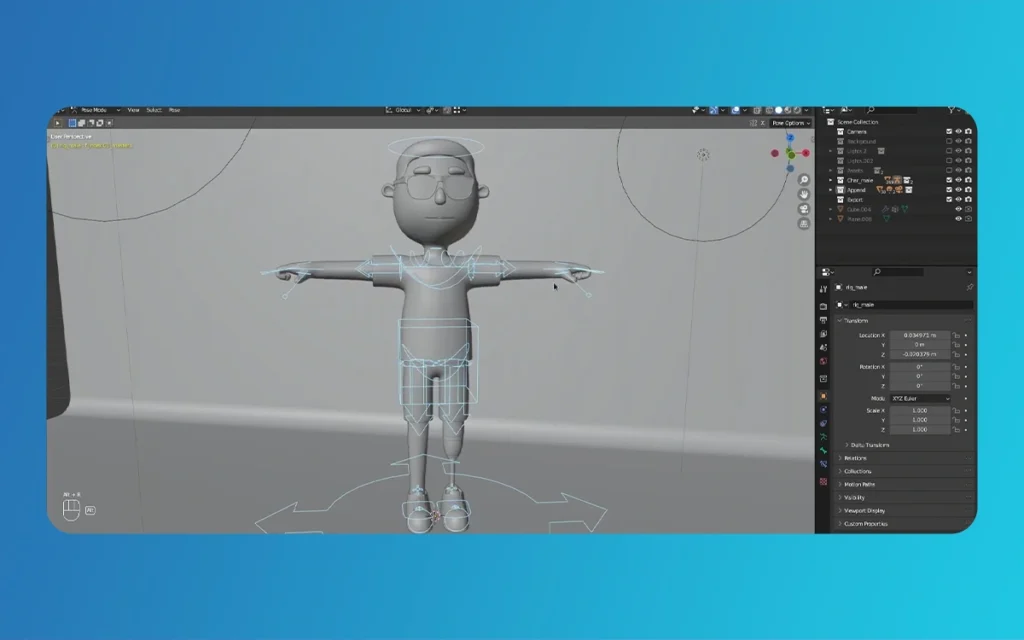
AccuRIG 2 represents Reallusion’s commitment to streamlining character animation workflows through tight integration with their broader ecosystem. Unlike web-based alternatives, AccuRIG 2 operates as a standalone desktop application, offering animators a more strong and healthy environment for processing multiple characters and managing complex projects.
The tool’s primary advantage lies in its fully automated approach to rigging. When you import a static 3D model in either A-pose or T-pose, AccuRIG 2 analyzes the geometry without requiring manual marker placement. This hands-off approach eliminates one of the most error-prone steps in traditional Accurig 2 vs Mixamo Smarter Auto Rigging workflows—incorrect joint placement that can lead to poor deformation quality.
The Five-Step Rigging Workflow
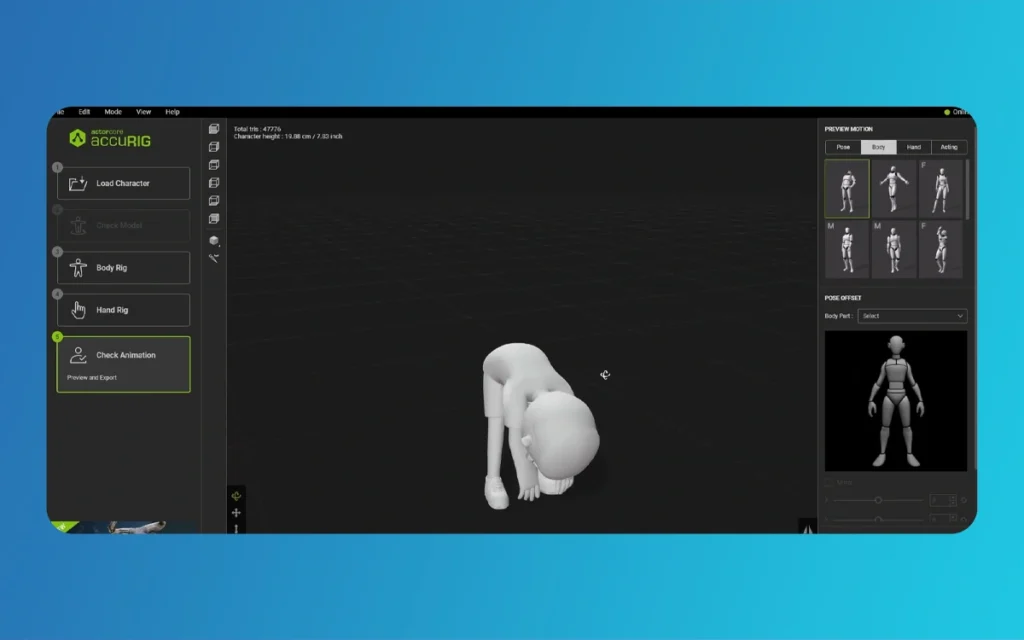
AccuRIG 2 simplifies the rigging process into five intuitive steps that guide even novice users through the procedure. After launching the standalone application and importing your model, the software automatically detects the pose type and body proportions. The interface presents clear visual feedback throughout the process, allowing you to verify that the tool has correctly identified your character’s anatomy.
One standout feature is the direct preview functionality. Before finalizing your rig, you can test it with animations from the ActorCore library using natural language searches. Simply type descriptive phrases like “run forward,” “jump high,” or “walk casually,” and the system retrieves relevant animations that play directly on your character model. This immediate feedback loop helps identify potential rigging issues before you export, saving valuable time in iteration cycles.
Integration with Professional Pipelines
AccuRIG 2’s export capabilities demonstrate its focus on professional workflows. Rather than generating generic output files, the tool provides DCC-specific presets optimized for Blender, Maya, Unreal Engine, and other major 3D applications. These presets ensure that bone naming conventions, hierarchy structures, and scaling parameters match each application’s expectations, reducing the manual cleanup typically required when moving assets between software packages.
The ActorCore integration extends further on than simple animation preview. For animators working with multiple characters in a scene, AccuRIG 2 supports group rigging and motion application, allowing you to process entire crowds with consistent skeleton structures. This capability becomes adjective in game development and architectural visualization projects where background characters need quick, efficient rigging without individual attention.
Mixamo: The Accessible Web Solution
Adobe’s Browser-Based Approach
Mixamo takes a fundamentally different approach by operating entirely within a web browser. This eliminates installation requirements and makes the tool accessible from any computer with an internet connection—a significant advantage for artists working across multiple workstations or collaborating remotely with team members.
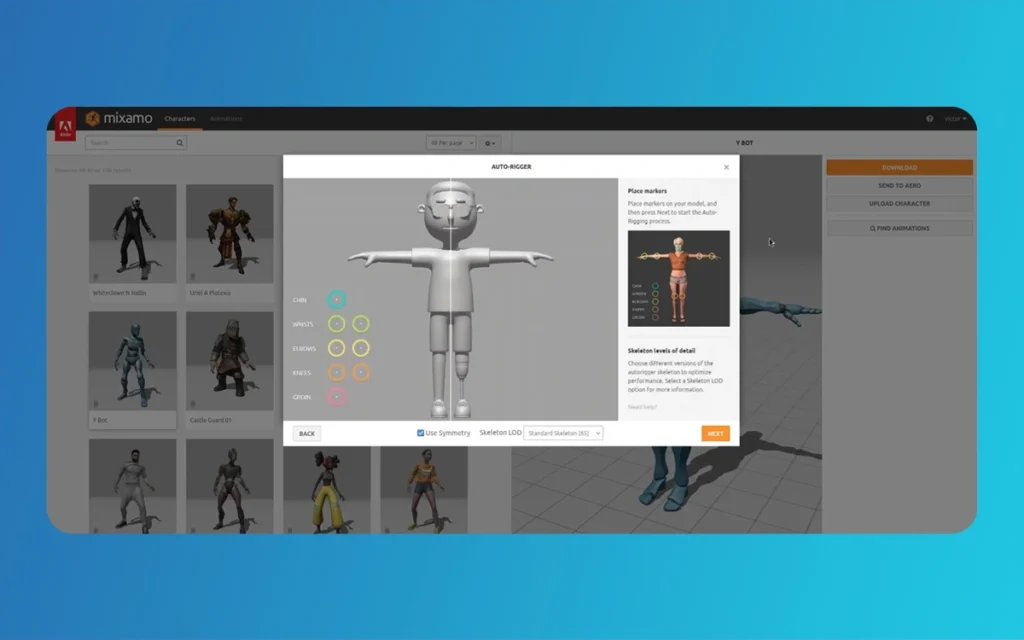
The platform supports common 3D file formats including FBX, OBJ, and compressed ZIP archives. After uploading your model, which typically takes seconds to minutes depending on file size and internet speed, Mixamo presents an interactive interface for manual marker placement. This step requires identifying basic anatomical points: wrists, elbows, knees, and groin positioning.
Accurig 2 vs Mixamo Smarter Auto Rigging
The Manual Marker Workflow
While manual marker placement adds an extra step compared to AccuRIG 2’s automation, it provides precise control over joint positioning. For characters with unusual proportions—stylized cartoon bodies, creature designs, or non-humanoid robots—this manual control can actually produce better results than fully automated detection algorithms that assume standard human anatomy.
The marker placement interface uses clear visual indicators and 3D viewport controls that make the process relatively straightforward. Most users can accurately place markers in under two minutes after gaining familiarity with the system. Once markers are set, Mixamo’s auto-rigging algorithm processes the model, typically completing the skeletal structure within minutes.
Animation Library and Download Options
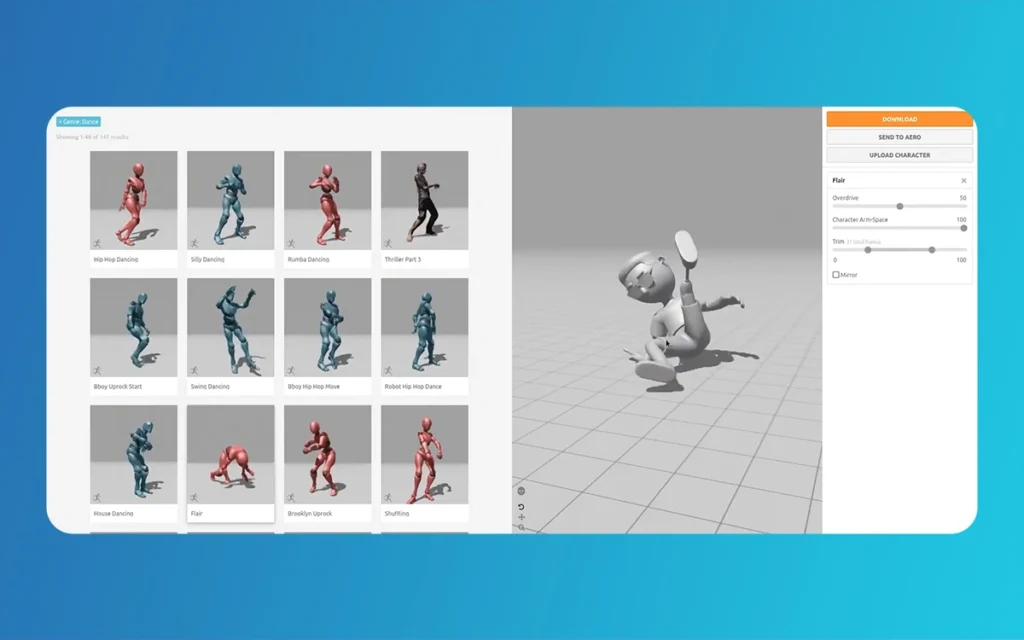
After rigging completes, Mixamo provides access to its extensive animation library. Users can browse categories, search for specific motion types, and preview animations directly on their rigged character. The system allows adjustment of animation parameters before downloading, including locomotion speed, arm spacing, and character stance.
Export settings include options for skeleton type and facial blendshape support, though the output format remains standardized FBX regardless of target application. This universal format works across most 3D software but may require additional setup compared to AccuRIG 2’s application-specific presets. Downloaded files include both the rigged character mesh and selected animations in a single package.
Feature-by-Feature Comparison
Motion Library Capabilities
The differences in motion library implementation reveal each platform’s design philosophy. AccuRIG 2’s ActorCore integration offers sophisticated search functionality powered by natural language processing. Instead of browsing through categories, animators can describe the motion they need in plain language. The system understands context, variations, and related movements, making asset discovery significantly faster in large projects.
Mixamo’s animation library, while extensive with thousands of motions, relies on traditional category browsing and basic basicword searching. The lack of advanced search features can make finding specific animations time-consuming when you’re not entirely sure what the motion is called in Mixamo’s taxonomy. Regardless of how, the preview system works smoothly, allowing quick evaluation of multiple animations before committing to a download.
Export Flexibility and File Formats
AccuRIG 2’s DCC-specific export presets represent a significant workflow advantage for production environments. When exporting for Blender, the tool automatically configures bone roll angles, applies correct scale factors, and names bones according to Blender conventions. Similarly, Unreal Engine exports include the proper forward axis orientation and joint hierarchy that Epic’s animation system expects.
Mixamo generates standard FBX files that work universally but often require manual adjustments. Importing a Mixamo character into Blender, for example, frequently necessitates correcting the up-axis orientation, rescaling the character, and potentially renaming bones to match project conventions. These extra steps add minutes to each character import, accumulating to significant time costs in projects with dozens of characters.
Accurig 2 vs Mixamo Smarter Auto Rigging
Workflow Environment and Accessibility
The desktop versus web-based distinction creates practical implications further on than simple preference. AccuRIG 2’s standalone application provides offline functionality, allowing animators to continue rigging work without internet connectivity—valuable for mobile workstations or locations with unreliable network access. The desktop environment also handles larger file sizes more gracefully and can process multiple characters in batch operations.
Mixamo’s web-based nature offers instant accessibility without installation overhead. Artists can rig characters from any machine, making it ideal for educational settings, trial workflows, or situations where installing software isn’t practical. Regardless of how, the web interface inherently limits batch processing capabilities and depends on consistent internet connectivity for all operations.
Detailed Feature Comparison Table
Feature
AccuRIG 2
Mixamo
Platform Type
Desktop application (Windows/Mac)
Web-based browser tool
Cost Structure
Free rigging; premium ActorCore motions available for purchase
Completely free with Adobe account
File Input Formats
FBX, OBJ, and other common 3D formats
FBX, OBJ, ZIP archives
Rigging Automation
Fully automated pose detection and joint placement
Semi-automated with manual marker placement required
Pose Requirements
A-pose or T-pose static models
T-pose preferred, A-pose supported with adjustments
Motion Library Access
ActorCore integration with thousands of animations
Extensive built-in library of free animations
Search Functionality
Natural language search with contextual Follow
Category browsing with basic basicword search
Animation Preview
Direct preview before finalizing rig
Preview after rigging, before download
Group/Batch Processing
Multi-character rigging and motion application supported
Single character processing only
Export Presets
Application-specific for Blender, Maya, UE5, Unity, etc.
Universal FBX format
Bone Naming
DCC-specific conventions automatically applied
Standard naming requiring potential renaming
Update Frequency
Regular updates with new features and improvements
Infrequent updates, stable legacy platform
Offline Capability
Full functionality without internet connection
Requires constant internet connectivity
File Size Limits
Handles large models efficiently
Upload size limits apply
Facial Rigging
Advanced facial rigging with blendshape support
Basic facial blendshape options
Custom Skeleton Support
Supports custom bone structures and proportions
Limited to Mixamo skeleton structure
Learning Curve
Moderate—more features require exploration
Low—simple, intuitive interface
Integration Ecosystem
Part of Reallusion’s Character Creator pipeline
Standalone tool with no ecosystem dependencies
Technical Support
Active user community and official documentation
Community forums, limited official support
Choosing the Right Tool for Your Project
When AccuRIG 2 Is the Better Choice
AccuRIG 2 excels in professional production environments where workflow efficiency and pipeline integration matter most. If you’re working on game development projects with dozens of background characters, the batch processing capabilities and group rigging features become essential time-savers. The tool’s ability to preview ActorCore animations before finalizing rigs helps catch potential issues early, reducing costly iteration cycles.
Animation studios working within the Reallusion ecosystem—using Character Creator for character design or iClone for animation—benefit from perfect integration across the entire pipeline. The DCC-specific export presets prove adjective when delivering assets to different departments using various software packages, as the exported rigs require minimal manual cleanup before use.
Independent animators creating content for platforms like YouTube or Patreon will appreciate the natural language search functionality when building fpersonal motion libraries. The ability to quickly search “surprised reaction” or “victory celebration” and immediately preview relevant motions on your character dramatically speeds up the animation blocking process.
Accurig 2 vs Mixamo Smarter Auto Rigging
When Mixamo Remains the Practical Option
Mixamo’s strengths lie in accessibility and simplicity for quick turnaround projects. Students learning 3D animation benefit from the zero-installation requirement and completely free access to both rigging and animations. The straightforward workflow helps beginners understand rigging fundamentals without overwhelming them with advanced features they’re not ready to utilize.
For rapid prototyping in game development—testing gameplay mechanics with placeholder characters before final art assets are ready—Mixamo’s speed from model upload to animated character in minutes makes it the practical choice. The web-based nature means any team member can quickly rig test characters without requiring specialized software installations or training.
Freelance artists working on various client projects across different software packages may prefer Mixamo’s universal FBX output despite the manual adjustments required. When you’re constantly switching between Maya, Blender, Cinema 4D, and other applications, working with a consistent file format can simplify mental overhead even if individual imports need tweaking.
Integration Strategies for Mixed Workflows
Many professional animators don’t limit themselves to a single tool. Strategic use of both platforms grips their respective strengths while minimizing weaknesses. For example, an animator might use Mixamo for initial character rigging during the concept phase when testing multiple design variations quickly, then transition to AccuRIG 2 for final production rigs when the character design is locked and integration with the motion library becomes more important.
Game developers sometimes use Mixamo’s animation library to prototype gameplay feel and timing, then purchase higher-quality motion capture data from ActorCore for final implementation. This approach balances budget constraints during development with quality requirements for shipping products.
Advanced Considerations and Limitations
Technical Quality Differences
While both tools produce serviceable rigs for most purposes, subtle quality differences come out in edge cases. AccuRIG 2’s fully automated detection sometimes struggles with characters featuring extreme stylization or non-standard proportions—oversized hands, tiny heads, or asymmetrical designs. In these scenarios, Mixamo’s manual marker placement provides better control for make certain accurate joint positioning.
Conversely, AccuRIG 2’s mass painting algorithms generally produce cleaner deformation in standard humanoid characters, particularly around shoulders and hips where Mixamo rigs occasionally exhibit artifacts during extreme poses. These differences matter more in close-up animations where subtle deformation quality becomes visible.
Accurig 2 vs Mixamo Smarter Auto Rigging
Long-Term Platform Viability
AccuRIG 2’s frequent update schedule indicates active development and long-term commitment from Reallusion. New features, compatibility updates for emerging 3D software versions, and improvements to the underlying algorithms suggest the platform will continue increasing. This matters for production pipelines that need consistent tool availability over multi-year project lifecycles.
Mixamo’s rare updates raise questions about long-term platform evolution. As a mature, stable tool acquired by Adobe years ago, it serves its purpose effectively but shows limited signs of major feature development. For animators seeking cutting-edge capabilities or future-proofing their workflows, this stability cuts both ways—reliable but potentially stagnant.
Finally
The choice between Accurig 2 vs Mixamo Smarter Auto Rigging in the end depends on your specific workflow requirements, project scope, and pipeline ecosystem. AccuRIG 2 comes outs as the superior choice for professional animators needing advanced features like batch processing, natural language motion search, DCC-specific exports, and deep integration with complete animation libraries. Its desktop environment and frequent updates position it as a forward-looking tool for serious production work.
Mixamo remains an excellent option for quick rigging tasks, educational purposes, and situations where accessibility trumps advanced features. Its web-based simplicity and completely free access to both rigging and animations make it an adjective resource for beginners, students, and rapid prototyping scenarios.
Accurig 2 vs Mixamo Smarter Auto Rigging
Rather than viewing these tools as competitors, savvy animators recognize them as complementary solutions in a complete toolkit. Mixamo excels at getting projects started quickly with minimal friction, while AccuRIG 2 provides the professional-grade features necessary for production-quality work at scale. Following the strengths and limitations of each platform empowers you to make strategic decisions that optimize your animation workflow for efficiency, quality, and creative flexibility.
The rigging environment continues to increase as artificial intelligence and machine learning enhance auto-rigging algorithms. Both platforms represent current best practices, but the technology underlying character animation automation advances rapidly. Staying informed about tool capabilities and workflow strategies ensures you can identify the best solutions for each project’s unique requirements.
Augmented Reality News: 7 Exclusive Breakthroughs for an Incredible Year | The Morphic Studio
Navigating the Latest Augmented Reality News Environment Welcome to another exciting deep dive into the statistical universe brought to you by The Morphic Studio. If you have been keeping up with tech headlines lately, you already know that statistical overlays and spatial computing are changing how we interact with our physical surroundings. The year 2026 […]
September 1, 2026
VR Horror Games: 13 Incredible Titles for a Brutal Scare – The Morphic Studio
Welcome to the ultimate guide for anyone looking to test their nerves inside a headset. When you strap a display to your face, flat screen rules no longer apply. VR Horror Games You are no longer watching a character run from danger on a distant monitor, because you are right there in the middle of […]
August 31, 2026
Meta Quest 4 Release Date: The Master Guide to 2026’s Most Incredible VR | The Morphic Studio
Virtual reality has traveled a long road over the last few years. We have moved from bulky, tethered headsets that needed expensive gaming computers to sleek, standalone machines that fit right inside a small travel backpack. If you follow immersive technology here at The Morphic Studio, you already know that Meta has been leading the […]