Welcome to the ultimate guide for upgrading your game environments. If you have ever walked through a statistical forest and felt a true sense of wonder, you already know the power of good environment design. Today we are going to talk about a very specific and crucial topic. We will learn exactly how to add Lighting Atmospheric in Unreal Engine 5. Creating a scene that feels alive requires more than just placing realistic 3D models on a map. You need the air itself to feel thick, moody, and interactive. That is exactly what we will achieve today.
By following this tutorial, you will master the techniques needed to breathe life into your levels. We will use simple steps, easy English, and the latest updates from the 2026 release of Unreal Engine 5.8. So, grab your coffee, open up your editor, and let us dive right into the magic of environment creation.
You will quickly see how easy it is to raise your project from a basic scene into a stunning, professional grade environment that captivates your players.
The Magic Behind Lighting Atmospheric in Unreal Engine 5
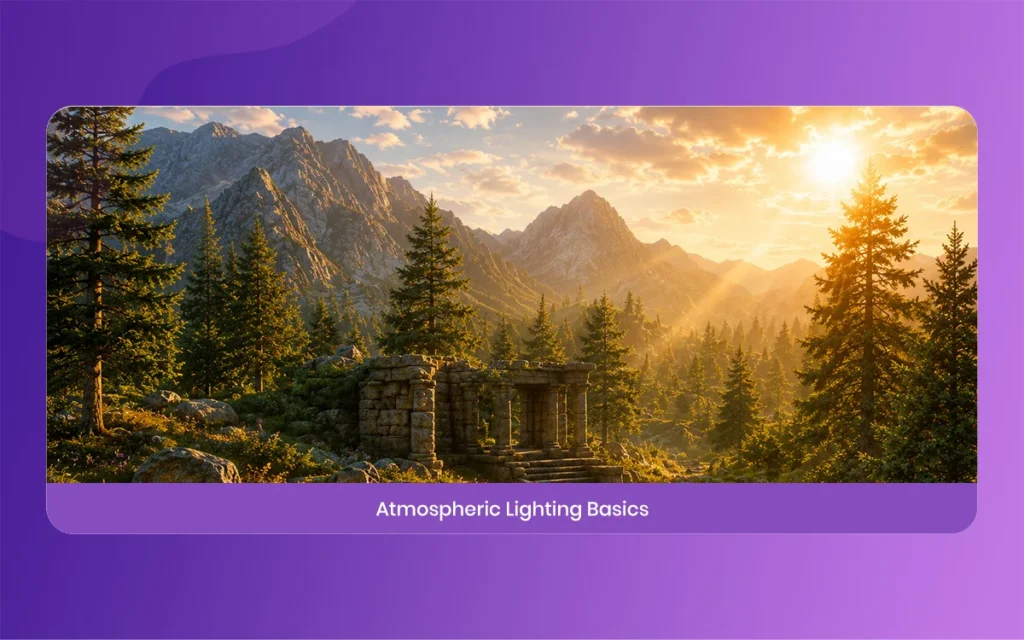
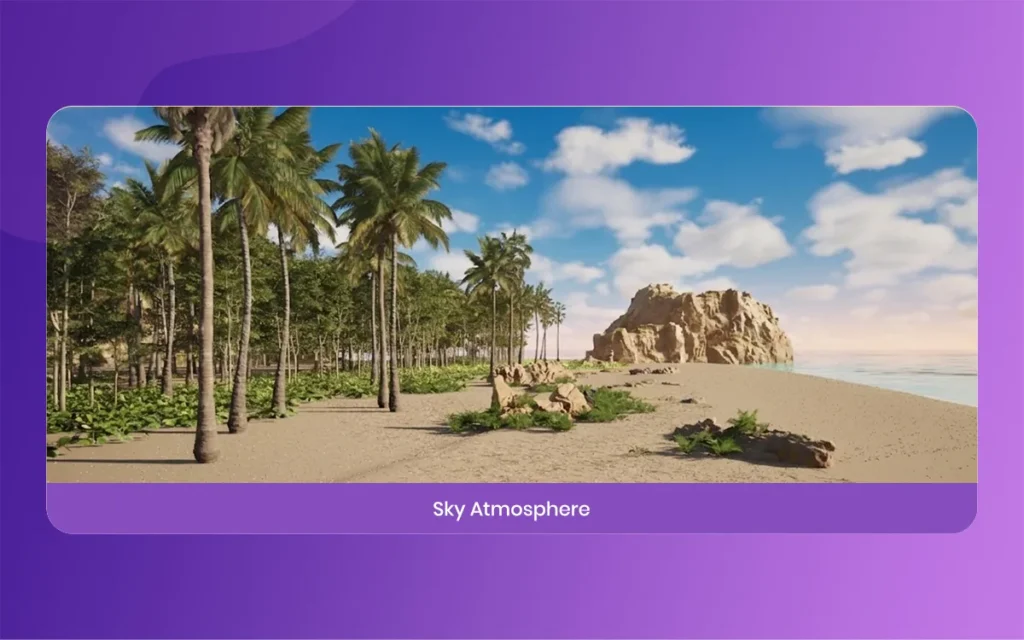
Creating a game that looks like real life is a massive challenge. When players enter your world, they subconsciously look for visual cues to tell them where they are and what time of day it is. This is where mastering Lighting Atmospheric becomes incredibly important. In the real world, light does not just hit a surface and stop.
It scatters through dust, bounces off water vapor, and creates beautiful rays of light through the trees. Unreal Engine 5 gives us the tools to simulate this exact behavior without needing a supercomputer.
The magic happens when you combine different light sources with fog and clouds. When you add Lighting Atmospheric in Unreal Engine 5, you are basically telling the game engine to calculate how light travels through the air. This adds depth, scale, and emotion to your scene.
A bright sunny day feels cheerful, while a heavy foggy morning feels mysterious and intense. Follow this balance is the basic to creating environments that truly connect with your audience on an emotional level.
Lighting Atmospheric
Why Lighting Atmospheric Matters for Next Gen Graphics
You might be wondering why we spend so much time on this specific detail. The truth is, lighting is the single most important factor in next gen graphics. You can have the most detailed, high polygon character models in the world, but if your lighting is flat, the game will look outdated.
When you properly configure your Lighting Atmospheric, you hide the imperfections of your scene and says the most beautiful parts. Good atmosphere covers up harsh edges and makes everything feel cohesive, realistic, and polished.
Furthermore, with the release of Unreal Engine 5.8 in mid 2026, the technology has reached a point where we can achieve cinematic quality in real time. Features like energetic global illumination allow the light to bounce realistically across all surfaces.
This means that your atmospheric effects will react instantly to time of day changes or energetic weather systems. It is truly a game changer for indie developers and large studios alike, giving everyone the power to create blockbuster visuals without needing a massive budget.
Getting Started with Lighting Atmospheric in UE 5.8
Before we jump into placing objects, we need to make sure our workspace is ready. For this tutorial, I highly recommend updating your software to Unreal Engine 5.8, which was officially released in June 2026. This version introduced some massive performance boosts and experimental features that make our job much easier.
Once you have the latest version installed, create a new blank project or open your existing level. Do not worry if your scene currently looks a bit boring, we are going to fix that very soon.
Make sure your engine scalability settings are set to High or Epic. If your settings are too low, you might not see the subtle atmospheric effects we are trying to create. Also, verify that your project has Lumen enabled in the project settings.
Lumen is the global illumination system that makes all of our atmospheric bouncing light possible. Without Lumen, your scene will rely on outdated lighting methods, which completely ruins the gorgeous atmospheric depth we are aiming to achieve in this modern workflow.
Lighting Atmospheric
Core Components of Lighting Atmospheric
To build a realistic sky and atmosphere, we need to combine a few specific actors from the Unreal Engine place actors panel. Think of these actors as the ingredients for a recipe. You cannot bake a cake with just flour, and you cannot make a realistic sky with just a sun.
We need a combination of different lighting actors working together in harmony to produce the final result. If you miss even one of these core components, your sky might end up looking flat or completely unrealistic.
The main ingredients for your Lighting Atmospheric recipe include the Directional Light, the SkyLight, the Sky Atmosphere, the Exponential Height Fog, and the Volumetric Cloud. Each of these components handles a different part of the sky.
The Directional Light acts as your sun, the Sky Atmosphere simulates the planet atmosphere, and the fog adds the misty thickness to the air. When combined, they create a stunning, cohesive environment that reacts perfectly to changes in weather, time of day, and player location within your expansive statistical world.
Step by Step Guide to Adding Lighting Atmospheric
Now we are getting to the fun part. We will go through the exact process of setting up your scene from scratch. If you already have a sky set up, I suggest deleting it or hiding it so you can follow along with a blank canvas.
Building it step by step helps you understand what each component actually does. It is much better to learn the fundamentals rather than just clicking a random preset button that you do not understand.
Think of to take your time with these steps. Tweaking the values slightly can completely change the mood of your scene. I will give you the baseline numbers to use, but feel free to experiment and find the look that matches your specific game project. Let us start by adding our main source of light and building our virtual sky from the ground up.
Lighting Atmospheric
Step 1, Placing Your Sun for Lighting Atmospheric
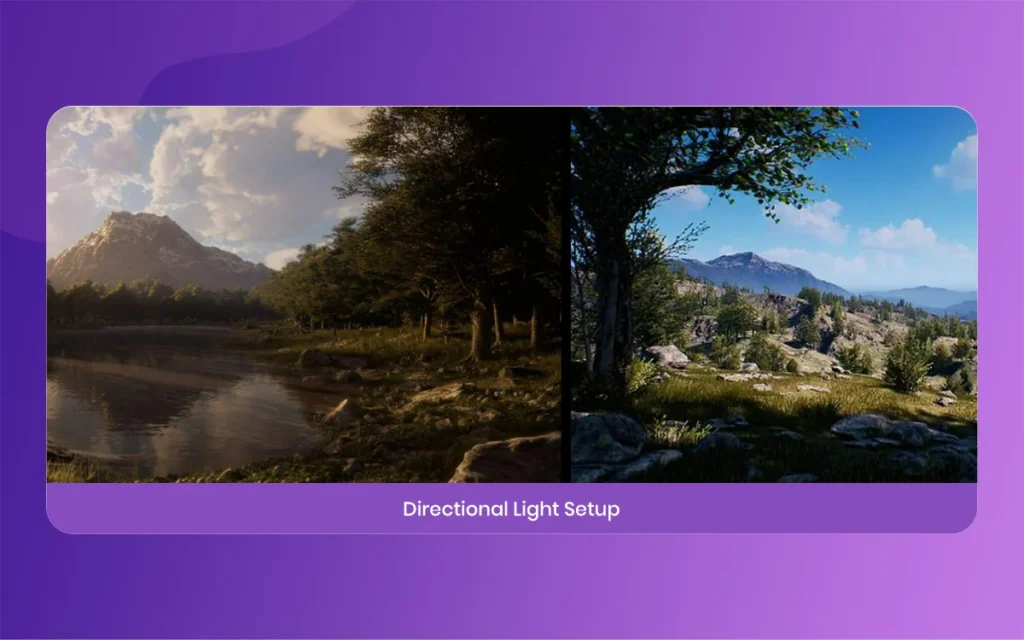
The very first thing you need is a sun. Go to the Place Actors panel, search for Directional Light, and drag it into your level. This light will act as the primary light source for your entire world. Once it is in the scene, look at the Details panel.
You need to make sure its Mobility is set to Movable. This is very important if you want a energetic day and night cycle later on, which most modern games require for maximum immersion.
Next, scroll down in the Details panel and check the box that says Atmosphere Sun Light. This tiny checkbox is the secret basic. It tells the engine to link this specific light to the sky atmosphere system. Finally, adjust the Source Angle to a value around 0.5 to give your sun a soft, realistic edge in the sky. If you skip this, your sun will look like a harsh, unnatural white dot in the sky.
Step 2, Adding SkyLight for Lighting Atmospheric
Having a sun is great, but shadows in real life are never pitch black. The sky itself bounces blue ambient light back down to the ground. To simulate this, we need to add a SkyLight. Search for SkyLight in the Place Actors panel and drag it in. Just like the sun, make sure you set its Mobility to Movable. This ensures that the ambient light updates automatically as the sun moves across your statistical sky over time.
In the Details panel for the SkyLight, enable the Real Time Capture option. This is a brilliant feature because it constantly takes a picture of your sky and uses those colors to light the shadows in your game.
If your sun goes down and the sky turns orange, your shadows will naturally take on a warm, realistic tint. This simple step massively improves the quality of your Lighting Atmospheric without requiring any complex math or coding on your end.
Lighting Atmospheric
Step 3, Using Exponential Height Fog for Lighting Atmospheric
This step is where the scene really starts to look cinematic. We are going to add the thickness to the air. Search for Exponential Height Fog and drop it into your scene. At first, it might just look like a milky wash over your screen. Do not worry, we are going to fix that right now. Adjusting this properly is the absolute secret to making your game environments look incredibly moody and atmospheric.
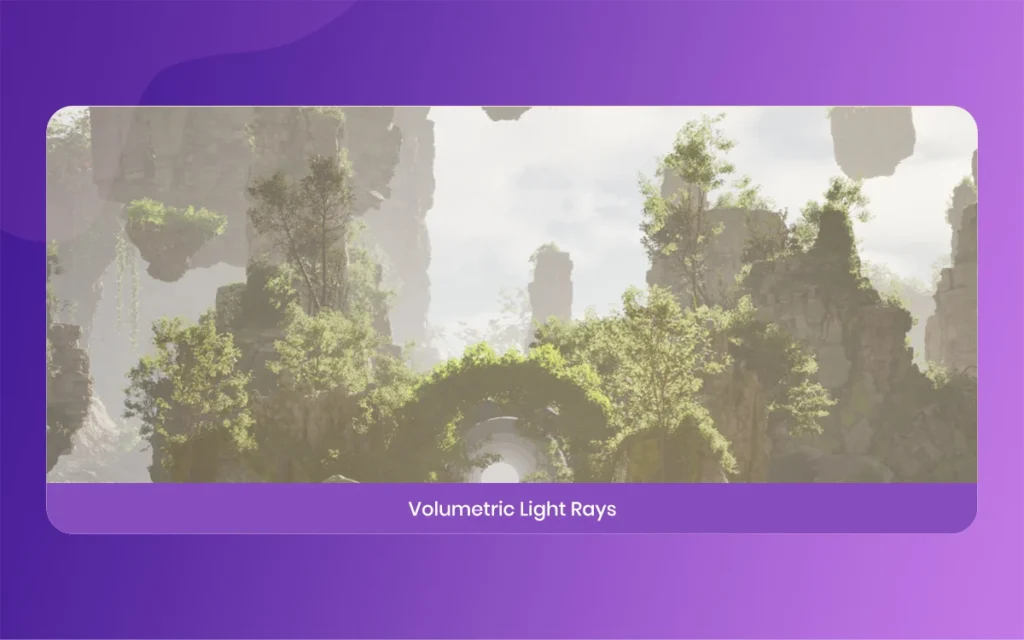
In the Details panel, scroll down to the Volumetric Fog section and check the box to enable it. Suddenly, your directional light will interact with the fog, creating gorgeous god rays piercing through objects. You can adjust the Fog Density to something low, like 0.02, so it feels natural and not like a thick soup.
You want players to feel the atmosphere without being blinded by it, so subtlety is your best friend here.
Step 4, Enabling Volumetric Clouds for Lighting Atmospheric
A beautiful sky needs clouds. In the past, developers used flat textures for clouds, but Unreal Engine 5 gives us true 3D clouds that interact with the light. Search for Volumetric Cloud in your actors panel and place it in the level. Instantly, fluffy, energetic clouds will populate your sky.
These clouds add massive depth to your horizon and make the world feel infinite and grand.
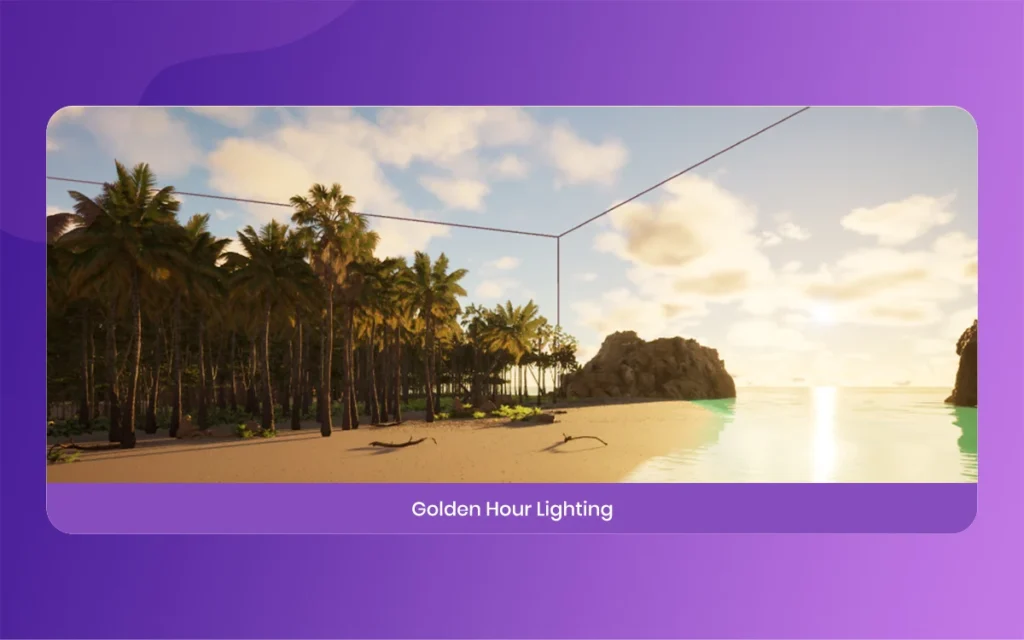
These clouds automatically react to your Directional Light. If you rotate your Directional Light to simulate a sunset, the clouds will catch the orange and pink light from the sun, creating a stunning visual. You can tweak the cloud density and altitude in the material settings, but the default setup is usually perfect for most beginner projects. Try playing around with the light rotation just to watch the clouds change color in real time.
Lighting Atmospheric
The New 2026 Features for Lighting Atmospheric
The environment of game development changes fast. In June 2026, Epic Games released Unreal Engine 5.8, bringing incredible new tools for lighting and environment artists. If you are serious about making your game look next generation, you need to understand these new features.
They not only make the game look better but also run much faster on lower end hardware. Knowing how to use these updates will definitely give you an edge over other developers.
I want to says two specific upgrades that directly impact how we handle environments. These features allow you to push the boundaries of what is possible without completely destroying your game frame rate. Let us look at how MegaLights and the new fog systems change the game for environment artists today, and how you can implement them immediately into your projects.
MegaLights and Lumen Lite for Lighting Atmospheric
One of the biggest announcements in UE 5.8 was the production ready status of MegaLights. Before this update, placing too many energetic shadow casting lights in a scene would cause terrible performance drops.
MegaLights changes all of this by greatly reducing noise and improving performance. Now you can place hundreds of lights in a foggy scene, and they will all interact with your Lighting Atmospheric beautifully while targeting a solid 60 frames per second.
Alongside MegaLights, Epic introduced Lumen Lite. Lumen is the global illumination system, but it can be heavy on performance. Lumen Lite runs twice as fast, targeting 60 frames per second on handheld consoles and modern PCs.
This means you can keep all your beautiful atmospheric bounced lighting without sacrificing smooth gameplay. It is an absolute lifesaver for developers trying to optimize their games for multiple platforms.
Fog Screen Space Scattering for Lighting Atmospheric
This is my absolute favorite new tool. Unreal Engine 5.8 introduced an experimental feature called Fog Screen Space Scattering, or FSSS for short. When you are dealing with Lighting Atmospheric, standard fog can sometimes look a bit flat when objects move through it. FSSS simulates multiple light scattering within the media itself, bridging the gap between old rendering methods and true cinematic realism.
What this means in simple English is that dense fog, smoke, and dust now appear much blurrier and blend naturally with your scene. If a bright light shines through the dust, the light scatters around the particles just like it does in the real world.
You can enable this right inside your Exponential Height Fog component to instantly boost the realism of your scene. Just keep an eye on performance, as it is still in the experimental phase.
Lighting Atmospheric
Best Practices for Lighting Atmospheric Optimization
Adding all these beautiful effects is incredibly fun, but you have to be careful. As a developer, your job is to make the game look good while make certain it actually runs smoothly on a player computer. Volumetric fog and clouds can eat up your GPU resources if you do not optimize them properly. You must constantly balance visual beauty with practical performance to ensure your players have a great experience.
Always keep an eye on your frame rate while tweaking your atmospheric settings. It is very easy to crank up the quality sliders to the maximum, but often, a medium setting looks almost identical and saves a lot of performance.
Also, utilize the new optimization tools provided in UE 5.8, like the Light Finder tool, to ensure no hidden lights are causing unnecessary calculations in your beautiful atmospheric levels.
Important Data Points for Lighting Atmospheric Settings
Instead of presenting a complex grid of data, I will break down the most important settings and their performance impacts into easy, readable points. Keep these in mind as you build your world.
Directional Light, This acts as your main sun or moon. It has a moderate performance cost, so usually, you only need one active at a time to prevent game lag.
SkyLight with Real Time Capture, This gives you realistic ambient shadows. The performance cost is low to moderate, but it is absolutely essential for maximum visual quality.
Exponential Height Fog, This creates your atmospheric depth and light rays. The performance cost is moderate, but it heavily scales based on the view distance of your player camera.
Volumetric Clouds, These give you fully 3D interactive skies. The performance cost is high, so be sure to use the optimized default materials provided in the UE 5.8 update.
Fog Screen Space Scattering, This new 2026 feature adds ultra realistic light bleeding in dust and smoke. It is currently experimental, so test it carefully for performance drops.
Troubleshooting Lighting Atmospheric Bugs
Even the best developers run into bugs. When you are working with real time lighting, things can sometimes look a bit weird. You might see flickering shadows, strange glowing artifacts, or clouds that look like pixelated noise.
Do not panic, this is very common when dealing with Lighting Atmospheric in Unreal Engine 5. It happens to professionals all the time, and the fixes are usually very simple.
Most of these issues stem from scalability settings being too low, or from conflicting light sources in your level. The first thing you should always do is check your engine scalability settings.
If they are set to low or medium, volumetric effects are automatically downscaled, which causes that ugly pixelated look on your fog and clouds. Simply raising the quality will usually solve your immediate visual problems.
Fixing Noise and Flickering in Lighting Atmospheric
If you notice that your shadows or god rays are flickering, it is usually a problem with Lumen or your anti aliasing settings. By default, UE 5 uses Temporal Anti Aliasing, which can sometimes cause ghosting and flickering in volumetric fog.
You can try switching to a different anti aliasing method in the project settings, or simply increase the volumetric fog grid pixel size in your fog settings to smooth it out drastically.
Another common fix is to use console commands to increase the sample count of your volumetrics. While this does cost a bit more performance, it will completely eliminate the noisy, grainy look in your atmospheric light rays.
Always think of to build your lighting if you are not using fully energetic systems, as baked lighting can sometimes conflict with energetic fog, leading to strange graphical errors that frustrate players.
Final Thoughts on Lighting Atmospheric
We have covered a massive amount of ground today. You now know exactly how to set up a stunning, realistic sky and atmosphere using the latest tools available in Unreal Engine 5.8. Mastering Lighting Atmospheric is a ride, and the more you practice, the better your eye will become for spotting the perfect balance of light and shadow. The difference between a good game and a great game is often found in these small atmospheric details.
Do not be afraid to experiment. Play with the colors of your fog, adjust the density of your clouds, and try moving your sun to different angles. Environment art is all about creating a mood and telling a story without using any words. So go out there, apply these techniques to your own projects, and create worlds that will leave your players completely amazed. Happy building, and welcome to the next generation of game development!
Augmented Reality News: 7 Exclusive Breakthroughs for an Incredible Year | The Morphic Studio
Navigating the Latest Augmented Reality News Environment Welcome to another exciting deep dive into the statistical universe brought to you by The Morphic Studio. If you have been keeping up with tech headlines lately, you already know that statistical overlays and spatial computing are changing how we interact with our physical surroundings. The year 2026 […]
September 1, 2026
VR Horror Games: 13 Incredible Titles for a Brutal Scare – The Morphic Studio
Welcome to the ultimate guide for anyone looking to test their nerves inside a headset. When you strap a display to your face, flat screen rules no longer apply. VR Horror Games You are no longer watching a character run from danger on a distant monitor, because you are right there in the middle of […]
August 31, 2026
Meta Quest 4 Release Date: The Master Guide to 2026’s Most Incredible VR | The Morphic Studio
Virtual reality has traveled a long road over the last few years. We have moved from bulky, tethered headsets that needed expensive gaming computers to sleek, standalone machines that fit right inside a small travel backpack. If you follow immersive technology here at The Morphic Studio, you already know that Meta has been leading the […]