Flyer Mockups have changed how designers, marketers, and small business owners display their work. Flyer mock-ups have a professional look for everyone, whether you are a developing graphic designer trying to build your portfolio or are an entrepreneur trying to display promotion materials. The Morphic Studio shares the information about how to find, use, or customize free flyers and mockups, especially if you are a first user of design software.
Flyer Mockups
Getting to Know Mockups: What flyer mockups are and something important to know
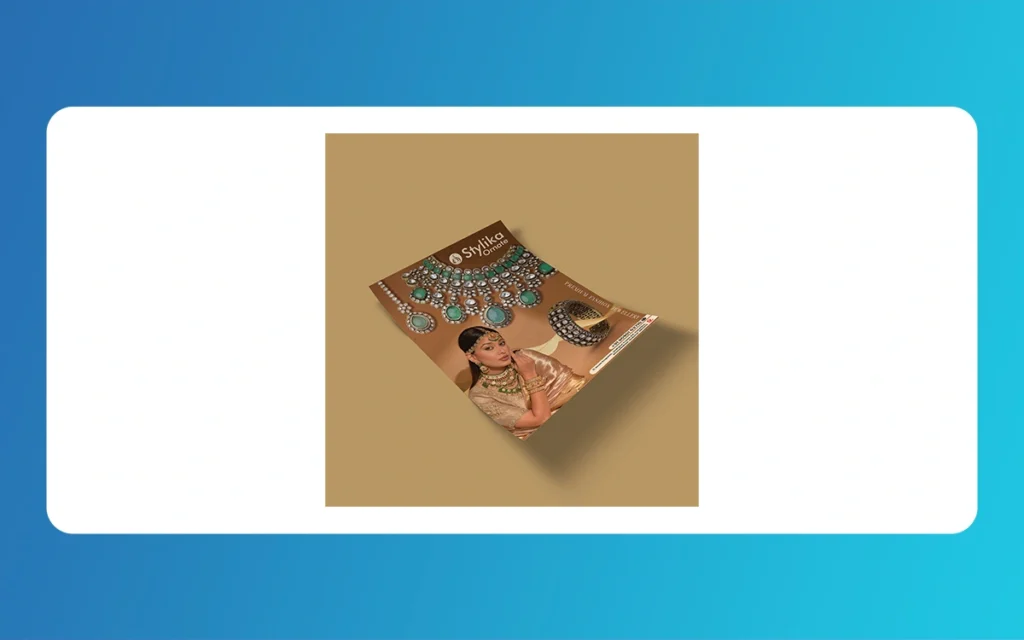
Before we talk about the technical stuff about mock ups, we must know for sure and foremost what mock ups are. A Flyer Mockups is a digital template that displays your flyer, a flat design, in a realistic and three-dimensional flat design. Picture a virtual stage show where, for example, a flyer design is used to advertise an event.
Flyer Mockups are more than just pretty pictures. They help freelancers and design agencies take a client’s initial vision and help it come to life so the client can see what can be created. They help to take a graphics design concept and make it easier to show how the design can be used. For businesses, mockups help see how graphics design will look in real life. Which helps save the costs of printing design mockups.
Even better, anyone can make mockups of impressive quality without being a Photoshop whiz or paying a bucket of money for premium software. Everybody can make quality, accessible presentations with amazing free, downloadable templates and modern, free online tools!
Flyer Mockups
Finding Free Flyer Mockups: Your Resource Toolkit
Knowing where to look can save hours of frustration when it comes to the vast sea of free flyer mockup resources the internet has to offer. A number of sites have built a reputation for themselves as trustworthy sources for free flyer mockup templates, and we’ve compiled a complete list.
Top Websites for Downloadable PSD Mockups
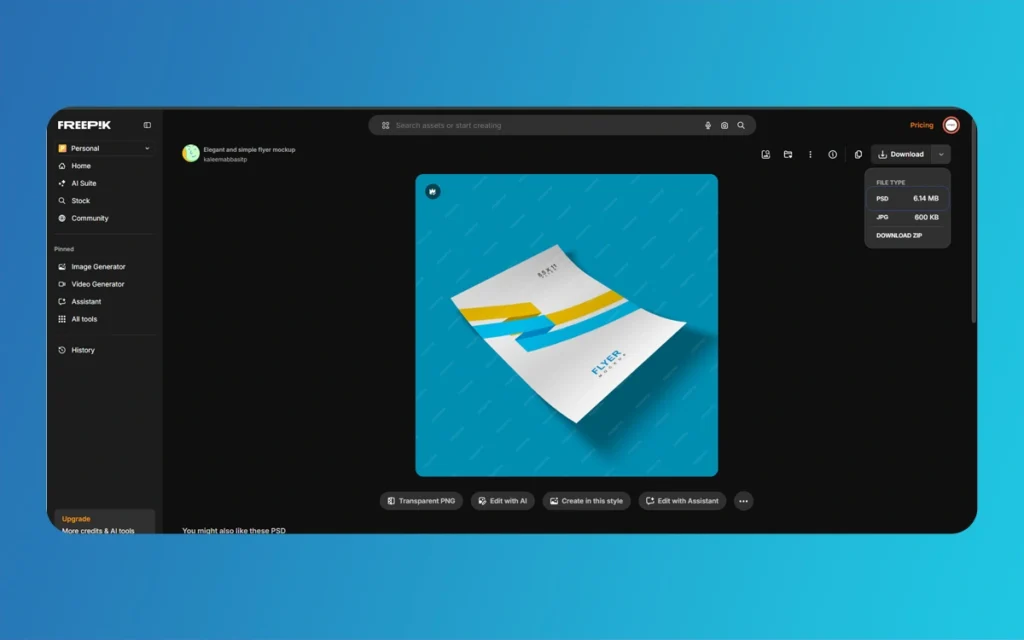
Resource Boy is an excellent website to obtain hundreds of professionally made PSD flyer mockups. They offer numerous A4 A5 and landscape sized mockups to meet all your needs. Especially for newbies, Resource Boy is great because they have lots of categories and previews of what each mockup looks like.
Mockuptree focuses on user friendly mockups and is an excellent website. Their files have neat folders and labeled smart objects. Many of their mockups have multiple angles to choose from, all included in one PSD.
Elegant flyer is an example of mockup providers by industry and event. They have templates for easy to use real estate flyers, event marketing, and restaurant menus. This helps beginners so that they aren’t overwhelmed by templates from a large mockup library.
In Mockup Templates, before downloading them, it’s best to pay attention to file sizes and system requirements. Most templates are around 50MB to 300MB, so it’s best to be sure you have space. Also check to see if the mockup’s format is compatible with you. Some older templates call for specific versions of Photoshop for them to work.
Online Mockup Generators
If you want an immediate answer and don’t want to download anything, the answer is mockup generators. One of the most popular generators for beginners is Mockey.ai. It has a very simple user interface, and for beginners, the free tier is generous. The site has over 500 templates of all kinds, from simple hand-holding mockups to more complex scenes, so every user can find their preference.
Mockey’s best feature is the real time preview. You can see your design changes in the mockup as you edit them, so you can try many options before downloading. This interactivity is a great opportunity for beginners to learn how various elements of their design will work with the mockup to deliver a good presentation.
Mockups Studio takes online generator a step further from other competitors by adding features for further customizations. You have light controls, shadow controls, and other background elements for fully customized presentations. Their urban template sets showing subway station flyers, street pole flyers. Coffee shop flyers are contexts that really add relevance and character to the subway showcase.
Both portals allow you to export files in various formats and resolutions, including low-res for websites and high-res 8K files for print portfolios and client presentations. While free accounts often have export resolutions and formats that are more restricted. They still provide more than enough quality for digital portfolios, social media posts, and client pitch decks.
Flyer Mockups
Learning to Use Online Tools Instead of Photoshop: The Beginner’s Fast Track
Online mockup tools have eliminated barriers to entry for professional presentations. The process is simple. While each step is straightforward, there are better and worse ways to do each step, understanding these differences leads to better results.
Step-by-Step Process with Mockey.ai
To start using Mockey.ai, first sign up for a free account. Registration is quick and easy, and it gives you immediate access to their endless supplies and templates. After you sign in, you can look at different sections such as \Flyer Mockups,\ \Hand-Held,\ and \Scene Mockups\ to see what best fits your needs. Think about where your flyer will be displayed. If it’s for a music festival, a handheld mockup at a mockup of an outdoor event will look the best. If it’s for a business seminar, a mockup of a flyer laying on a desk in an office setting or conference table will look the best.
Step
Once you chose your template, which can be a standard A4 portrait, a creative square, or landscape, you will be directed to the editing screen. Click on the area for you to upload your flyer design and Mockey.ai will accept your flyer in any of these formats: PNG, JPG, or PDF. A PNG with a transparent background will yield the best results.
The platform’s smart fitting technology tries to automatically fit your design within the mockup’s boundaries but usually requires adjustment to be aligned correctly. You can resize your design using the resize handles surrounding the design. Keep in mind the template’s safe zones; mockups often have faint lines showing where your important design elements should stay so they don’t get lost behind hands, shadows, or cut-off at uneven angles.
Mockup customizations have the most transitions, and where it goes from default to specialized. Hybrid.ai has solid color and gradient backgrounds, and custom images. For the business mockups, using plain, light, or very soft gradient neutral colors is best to help with the professional look. For the more free-spirited, creative mockups, use brighter colors, and even backgrounds with designs to help match your mockup’s color palette.
When you’re done with your design, go to the download menu. Free accounts can download to standard, lower resolution files and will be restricted to digital presentations. For portfolios or important presentations, you should pay to have the document in a higher resolution. Although if you purchase to have it in a higher resolution you should be careful as you also get commercial rights from the higher resolution files.
Flyer Mockups
Getting the Best out of the Features in Mockups Studio
Mockups Studio works on the same fundamentals but makes use of high level custom environmental features. Users who have more advanced presentation needs find this appealing. After you choose a template, you will see more advanced adjustment sliders as opposed to just editing the image on the placeholder.
Lighting control is particularly noteworthy. With virtual light manipulation, you can represent various times of the day and between indoor and sunshine lighting scenarios. This is a great detail that, through subtle and real construction of a mock up, sets it apart from being just a digital product exposed to a photo.
Customization of shadows is just as important. Definetely have a direct high contrasted presentation by darkening the shadow. If you want a feel of close presentation, lighten the shadow. Consider the direction of the shadow and keep the light source of your mock up consistent with this detail to prevent the ‘uncanny valley’ effect. This is where a presentation below a eyes level ridge just appears to something ‘off’ but no one can figure it out.
On the platform, a scene mock up featuring the flyer in a real life urban setting, event or point of interest has to be a mock up of scaleable and contextual components. Your flyer design and the context of the scene on the mockup should be proportionally and suitably scaled. Consider the design of a poster on a hand mock up. It will look out of place even in a closed scene. Also a business card design in a mock up of a big billboard loses its presentation intent.
Photoshop Method for PSD Mockups: Professional Results for Those Willing to Learn
Even though there are tools online, there will always be great customization flexibility for PSD mockups in Photoshop. Although there is a learning curve, once you master the method, there are limitless possibilities for more professional presentations than what online generators are able to accomplish.
Opening and Navigating PSD Mockup Files
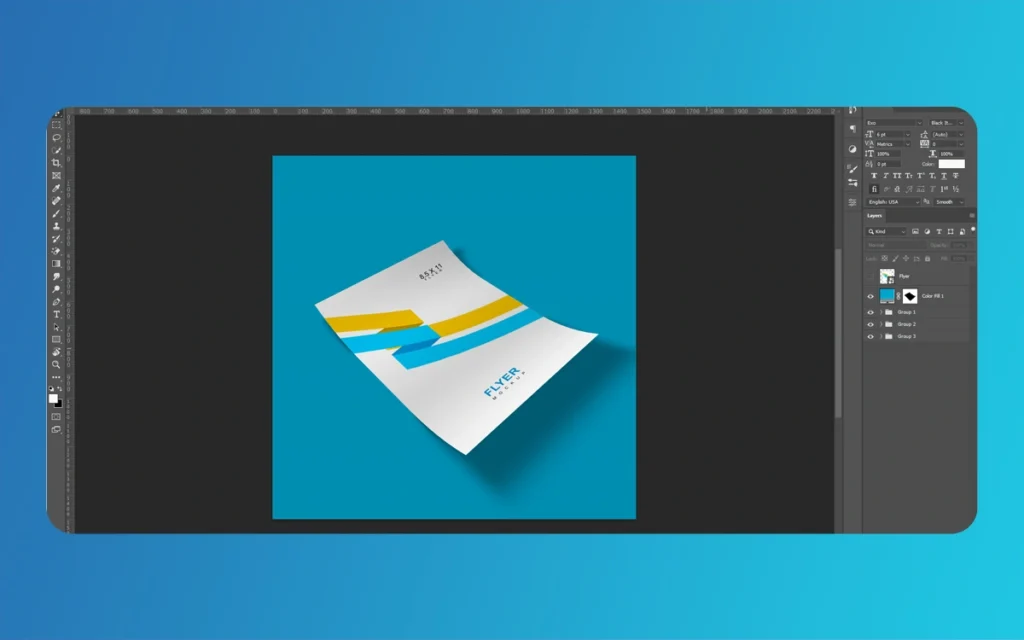
Once you download a PSD mockup from Resource Boy, Mockuptree, etc., find the file and open it. If you don’t have Photoshop, Adobe offers a free seven-day trial. Which is more than enough to complete a few of your projects. You could also go for Photoshop Elements, which is a bit cheaper and should be able to handle most mockups.
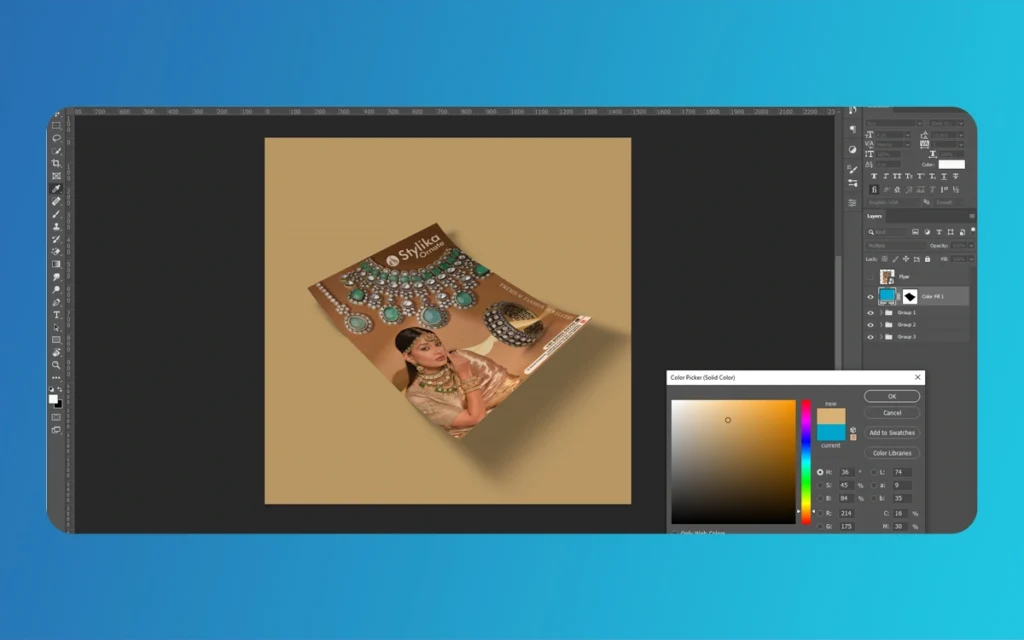
Once you open a mockup file, you’ll see a layer structure in the mockup file. On the right side of the screen, you’ll see different layers. Don’t be alarmed by the different layers! Most of the layers can be background, adjustments, or effects that you will not be changing at all. You will be looking for a layer that has the words ‘smart object’ in their name. This will be the design layer you need.
Smart objects are a special feature that Photoshop has to the preserve the original artwork. Smart objects are non-destructive, meaning you will not permanently change anything. This features allows people to easily use professional mockups to display their work without any advanced Photoshop skills.
Flyer Mockups
Inserting Your Flyer Design
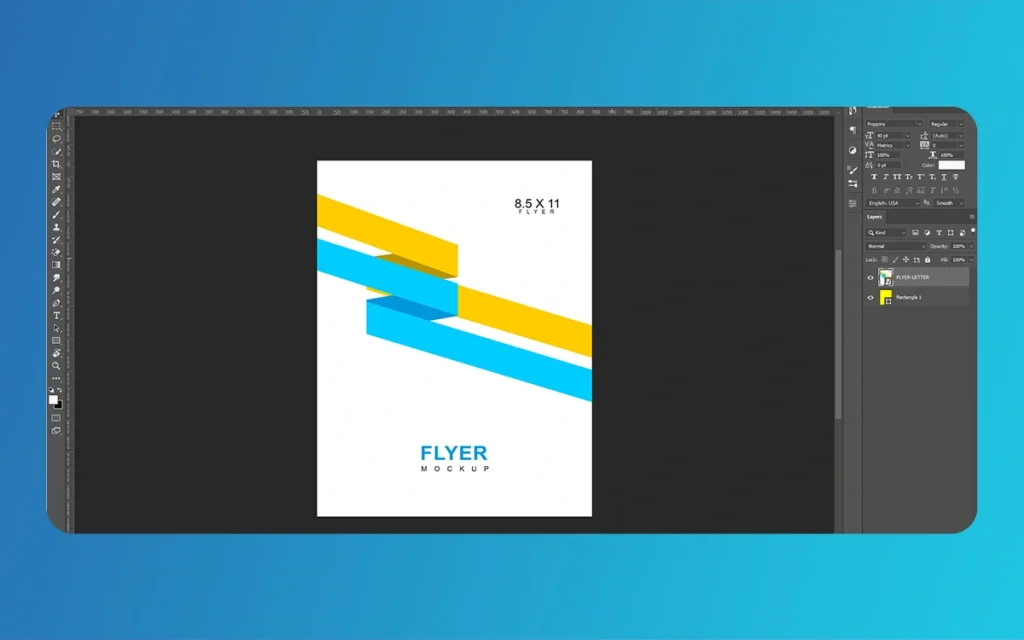
To open the smart object, double-click on the layer thumbnail. You will open a new window that will contain a blank canvas. You will have the option to work on a new document or you can open the window as it is.
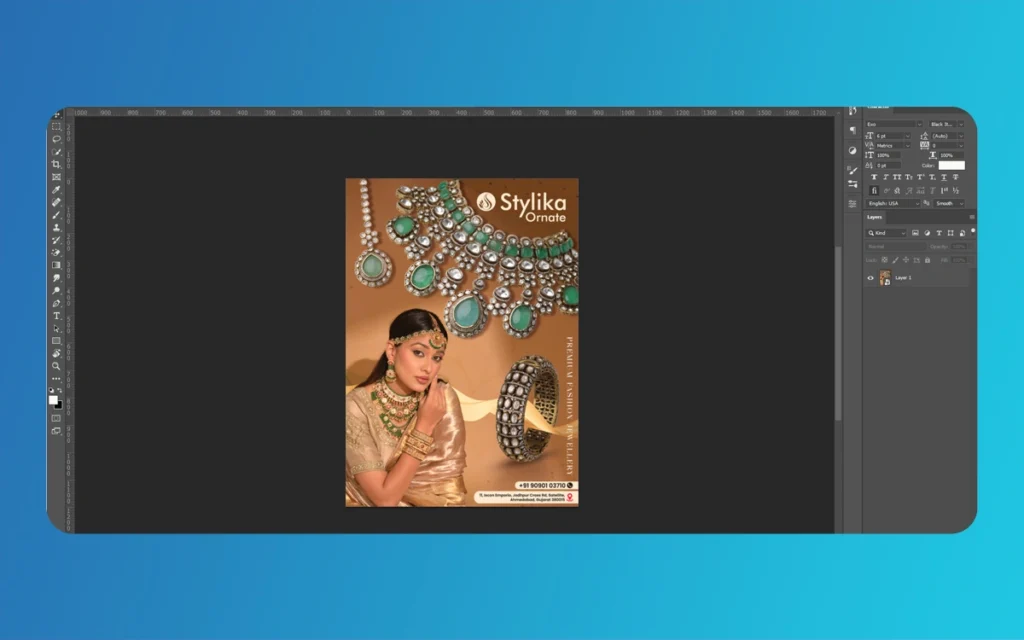
Once you have your design in a separate file, copy it and paste it into the smart object window. This will be a new layer that you can move around the design until you are satisfied!
Getting the correct size is very important. To resize the image, click the Transform Tool (Ctrl + T for Windows or Cmd + T for Mac) to gain access to the corner handles. Remember to hold down the Shift key while dragging the corner handles to resize an image evenly, or else your image will get distorted. Most mockups come with guides or rulers showing the correct size and dimensions. So make sure to align the edges of the design with the guides for an accurate fit.
When you have the design in place, make sure to save the smart object file (Ctrl + S or Cmd + S). This is very important, as many beginners skip this step and wonder why the mockup is not updating. This will prompt Photoshop to update the mockup screen to show an edited version of the mockup with all of the design’s mockup effects, such as lighting, shadows, and perspective.
When you have closed the smart object, you will be taken back to the main mockup screen. If you’re satisfied with how everything looks, you’re done. If not, this is the step where more seasoned users are able to add more detail and improvements.
Incorporating Realism with Additional Skills
Flyer Mockups developers use other skills to add more realism. With blending modes, you can control what happens to layers on top when interacting with the layers below. If the shadows on your mockup are too deep or feel off, try to find the shadow layers and adjust the blending modes. For shadows, multiply would be the most common selection, since it darkens the underlying area. To decrease the tone and darken the shadow effect, you can tweak the layer’s opacity.
Warping and distorting effects add realism when mockups feature textured surfaces, such as wood tables, concrete walls, and fabric. Pick your design layer within the smart object and select Edit > Transform > Warp, then go ahead and run your mockup. Adjust the design slightly to represent the paper bending or irregularities on the surface. Details like this one are especially good with hand mockups, as this is a common feature of the paper.
Changes to lighting are the last touch. If the flyer design you create is especially light, it also needs to have a light mockup background. If the mockup background is darker, it can create a contrast and break the scene. Adjust your design layer to match the rest of the mockup in tone and brightness using levels (Ctrl + L or Cmd + L Curves). This helps your design be more cohesive to the photographed setting.
Organized PSD mockups guide you through these changes step by step by naming the adjustment layers and grouping the elements together.
Key Tips for Beginners: What to Look Out for
The difference between mockups that look pro and those that look like they were made by newbies is just how attuned you are to the things that are a mistake.
Gradual Growth of Confidence
Your first mockup should definitely not be the most complex one. Pick a mockup that has simple designs and not a lot of layers. A mockup of one flyer on a simple background is a good one that will help you learn the process without many distractions. As you get more confident you can choose mockups with a lot of angles, those that are in a real life scene. Or have a lot of things that you can change.
This step by step method is to reduce the amount of frustration and actually help you learn the process. With each mockup that you complete it will get easier and easier.
Flyer Mockups
Make Sure Dimensions Match Completely
One of the most frequent problems that newbies have is an inconsistency in dimensions of flyer designs as opposed to the dimensions of the mockups. In the United States, a common size for a flyer is 8.5 x 11 inches. In Europe, the similar size is the A4 which measures 8.27 x 11.69 inches, and the A5 is 5.83 x 8.27 inches. If you design to an A4 and have your mockup line up as a US letter size, you could have a significant difference. Which may cause awkward white spaces or a cropped image.
To avoid this, before you choose a mockup, check to see what dimensions are in your design, and in your design software, or from the file properties. After you have the numbers, you can go to your extra mockup file. Look for mockups that have those dimensions and match. Most mockup descriptions clearly state what size is compatible, and quality platforms allow filtering by size.
Play With Context and Background
Context is where the real vision sells. A corporate flyer mockup is enhanced, and it contains surround office elements—desks, laptops, coffee cups, etc. Energy is added to an event flyer with outdoor settings, crowds, and details of the venue. Wooden tables with soften food photography in focus complement the appetizing look of a restaurant menu.
Selection of background is not simply an aesthetic choice. It’s also for storytelling. Think of your audience, and where they will see the flyer. Street posters integrated in the design mockups displayed on walls or poles with urban textures. Hands with a domestic background may look better for direct mail flyers. Contextual thinking uplifts mockups from simple presentations to powerful marketing instruments.
Do not just look for the background that matches in the beginning or the one just ”fine.” You should see all the options and also in in the unit/class or in teams see how one background can really change the look; try to see. How one background or maybe two in combination can really enhance the project/improve the presentation on Eco.
Interface Testing
Once you created mock-ups or mock-ups in particular styles, test it. For example, if it is meant for an Etsy shop listing, you can draft a product to see how it would look on items or mock-ups from the competitors. For Shopify stores, do you see on a desktop and a laptop? Checking one vertical size is not enough; make sure the important details are not lost at other scalable sizes.
Free versions of mock ups typically allow you to use them for personal projects, portfolios, and internal presentations. Even if you do not use it commercially, if the product includes any type of mock-up that you are charging for or actively advertising the product, that usually falls under a commercial use. Selling products that include the mock-up, or using it for advertising, or including it in presentations, is commercial use. Check the license terms to avoid copyright problems.
Flyer Mockups
Method Best For Difficulty Level Time Required Cost Customization Depth Output Quality
Online Generators (Mockey.ai) Quick social media posts, digital concept portfolios, preliminary client mockups Very Easy 5-10 minutes Free (limited resolution) Basic (templates, colors, backgrounds) Good for digital use, limited for print
Online Generators (Mockuuups Studio) Lifestyle mockups, environmental context, mid-tier portfolios Easy 10-15 minutes Free to $12/month Moderate (lighting, shadows, scenes) High (8K resolution with a subscription)
Mockuuups Studio provides value for users with more advanced projects that require specific presentations. Appreciate the quality improvements that you can provide audiences by controlling the lighting and shadows.
Those who love design as a profession or as a serious pastime should focus on perfecting mockups in Photoshop. The initial investment in time will pay off a great deal because the creator will have mastered full creative control. In addition, the Photoshop skills learned will aid in other design tasks, making it a solid long-time investment.
Flyer Mockups
Finally
Flyer Mockups have gone from being only usable options for professional designers to being usable options for no matter what your skill level in design is. Years of professional Photoshop design skills are no longer needed to create mockups of flyers.
As your skills improve, you will get to a point where designing mockups will not take nearly as long as it used to. Mistakes should not be a fear; instead. They should be embraced as each of them positions the design or places the background in a context to focus on where the presentation is at. Attaining this new level of expertise, you will magically feel as if mockups just come to you. As if you were born with this newfound ability. Tasks that took you nervous minutes of talking to yourself as you took shaky steps one by one, will turn into a simple five-minute workout. Even more crucial will be your ability to scout which mockup styles work best in different scenarios. Knowing which ones to control use, as you will in a future describe, will enable you to construct an environment.
All your posters will be professional, and by mastering the presentational techniques outlined.
Augmented Reality News: 7 Exclusive Breakthroughs for an Incredible Year | The Morphic Studio
Navigating the Latest Augmented Reality News Environment Welcome to another exciting deep dive into the statistical universe brought to you by The Morphic Studio. If you have been keeping up with tech headlines lately, you already know that statistical overlays and spatial computing are changing how we interact with our physical surroundings. The year 2026 […]
September 1, 2026
VR Horror Games: 13 Incredible Titles for a Brutal Scare – The Morphic Studio
Welcome to the ultimate guide for anyone looking to test their nerves inside a headset. When you strap a display to your face, flat screen rules no longer apply. VR Horror Games You are no longer watching a character run from danger on a distant monitor, because you are right there in the middle of […]
August 31, 2026
Meta Quest 4 Release Date: The Master Guide to 2026’s Most Incredible VR | The Morphic Studio
Virtual reality has traveled a long road over the last few years. We have moved from bulky, tethered headsets that needed expensive gaming computers to sleek, standalone machines that fit right inside a small travel backpack. If you follow immersive technology here at The Morphic Studio, you already know that Meta has been leading the […]